Milanote

Milanote is a web-based tool that enables you to organize all of your ideas and projects onto visual boards. You can create moodboards, brainstorm ideas with visuals, sticky notes, plan your calendar, and loads more.

The company is headquartered in Melbourne, Australia.

About Milanote

The company started operations in 2017. Milanote is based on the idea that behind every great piece of creative work, there is a lot of research and ideas that led to that final piece.

You can moodboards, brainstorm ideas, jot down notes, visually plan projects, create storyboards, plan out mind maps… and visually arrange just about anything that involves various digital materials.

It’s also just a really handy tool for anyone that is a little disorganized and has sticky notes or bits of paper with important bits of information all over their desks.

Milanote gives you a digital place to store, arrange, and work with all your notes and images. This way, if you’re disorganized you’ll never lose any important information. For creatives, it makes arranging boards and other visuals quick and easy.

How Milanote Works

To get started with Milanote, you need to either log in with your Google account or sign up via email.

Once you have an account, you can log in and start using the web app on your desktop, download their mobile app, and install their web clipper extension.

You’re presented with a blank canvas/board when you first log in. But don’t worry, it’s super easy to get started. Most elements are drag-and-drop, and Milanote provides loads of templates to help you get started.

There is a wide range of different boards you can create. Once you select the type of board you want to create, Milanote does a great job of guiding you through building out a smooth, professional-looking board.

Once you’ve finished a board, or even if you haven’t, you can publish it for anyone to see. You can also share your work with others and give them access to make changes and collaborate with you.

Milanote Services

Milanote is used to create a wide range of creative boards, the main ones are:

  • Moodboarding
  • Brainstorming
  • Visual note taking
  • Storyboarding
  • Design collaboration
  • Creative briefs
  • Mind mapping
  • Project management

You can create boards on your own, or by collaborating with others.

Milanote Plans and Pricing

Milanote has a fairly generous free plan, and three monthly paid plans based on how many users you want.

Their pricing plans at the time of publishing were:

  • Free – You can use up to 100 notes, images, or links, 10 file uploads, and unlimited shared boards.
  • $9.99 per mo – This is a license for one person, and enables unlimited notes, images, links, and file uploads.
  • $49 per mo – This enables up to 10 user accounts with full access to all features.
  • $99 per mo – This enables up to 50 user accounts with full access to all features.

Milanote Alternatives

There aren’t a lot of creative tools that do as much as Milanote does, and in a similar way. Evernote is one of the best tools for arranging ideas, so I recommend checking it out if that’s your goal.

For team collaborations, I recommend checking out Monday.com, which  is a project management-based tool.

Check out our tools/resources page for more inspiration!

Your Turn

Have you used Milanote? If so, please leave a review below to help others with their decision.

Read More

SavvyCal

SavvyCal is a calendar scheduling app that makes scheduling meetings easy for both parties by populating an interactive calendar and generating scheduling links.

The company is headquartered in Minneapolis, MN.

VAA Exclusive: Get $12 off your first month by clicking here!

About SavvyCal

SavvyCal was developed by Derrick Reimer. Derrick is a serial entrepreneur and has been involved in successful projects such as Drip, Codetree, Level, and StaticKit.

When creating SavvyCal, Derrick was well aware that there were a lot of scheduling tools on the market. He felt like they were all lacking something in the same area, however – they were not convenient enough for the person receiving the scheduling link.

Derrick himself says he frequently used to go back and forth up to 10 times with people trying to mutually agree on a meeting time.

I’m sure this is something that resonates with a lot of people reading this!

So, he designed SavvyCal to be as simple and efficient for the other person to agree to a meeting time as possible.

He did this by making it easy for people to see your calendar, and choose a meeting time that works for them. As well as generating custom links they just have to click once, and offering flexibility around the date and time someone can select.

How SavvyCal Works

SavvyCal is an app that you can access via logging in through a portal on the SavvyCal website.

You can get started for free, all you need to is sign in via your Google or Microsoft credentials, or create an account.

Then you can download and access the SavvyCal calendar. You can now select which days and times you’re available, and leave those time slots open for people to book a meeting time with you.

You can also schedule meetings yourself, and generate a link to send to the other attendees. All they have to do is click the link, and it’ll populate their information in both your calendar and theirs.

If you want to see how easy it is to select and book a timeslot on a calendar powered by SavvyCal, you can use their test calendar on the homepage of their website.

SavvyCal Services

SavvyCal is a calendar scheduling tool, some of the standout features are:

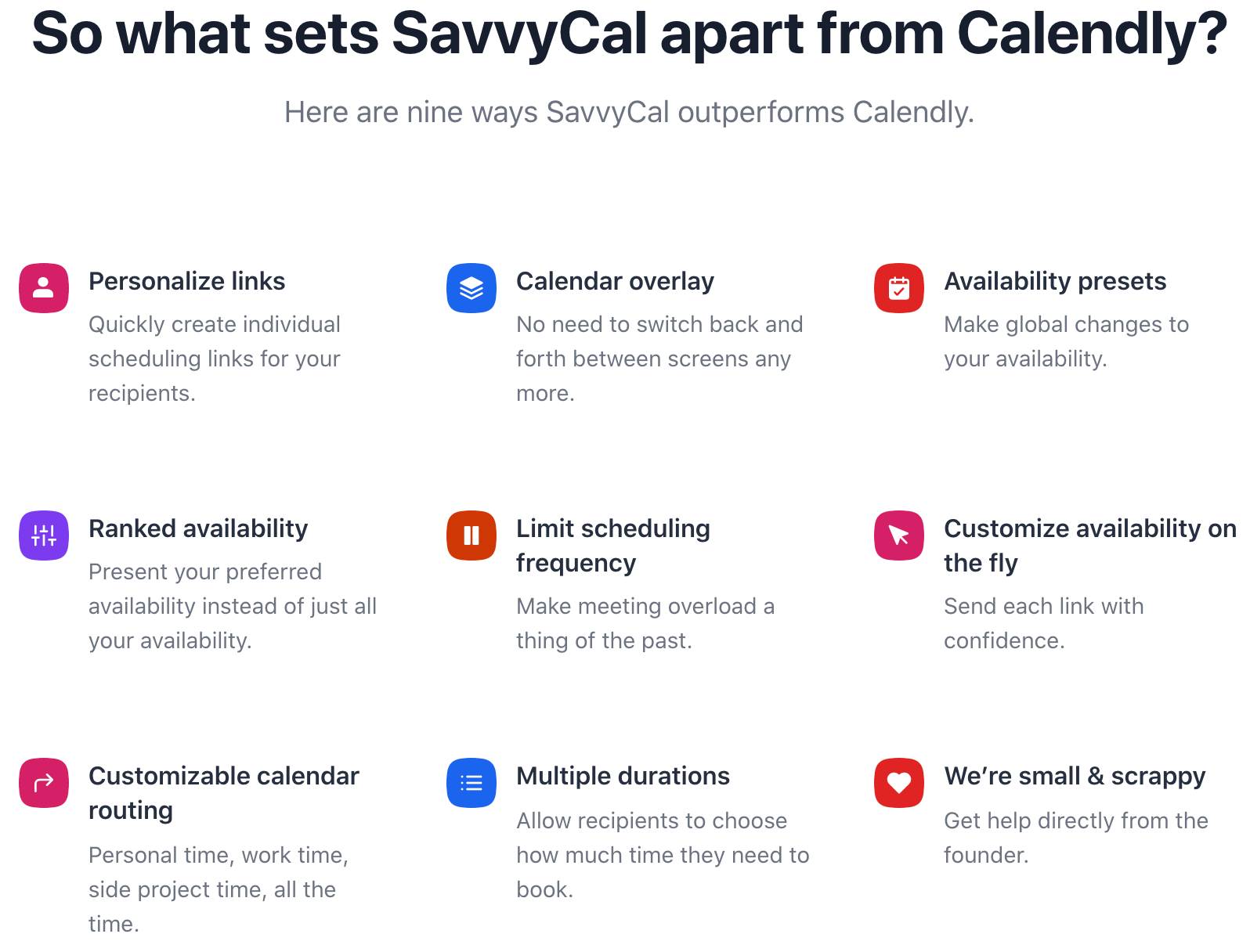
  • Generating and sending out personalized links to meeting attendees.
  • Allowing recipients to overlay their calendar on top of yours.
  • Offering multiple meeting durations to help recipients book a time slot that works for them.
  • Providing a 1-click experience so it’s quick and easy for attendees to schedule a meeting with you.

SavvyCal Plans and Pricing

You can try SavvyCal for free for 7 days. The best part is, there is no cost for setting up the product, and your 7-day trial only starts when you start sharing your meeting links.

When your 7 days are up (and you love the tool) SavvyCal has two monthly pricing plans as follows:

  1. Basic Plan – $12/mo per user – This plan enables you to schedule unlimited links, calendars, and events.
  2. Premium Plan – $20/mo per user – This plan includes everything in the Basic Plan, plus it lets you remove all the SavvyCal branding attached to your links and calendar.

VAA Exclusive: Get $12 off your first month by clicking here!

SavvyCal Alternatives

Some of the other popular calendar scheduling tools worth checking out are SimplyBook.me, Calendly, and X.ai.

Each of these tools offers a free trial, so you can test them out before committing to a plan and get a feel for which is the best fit for you.

Your Turn

Have you used SavvyCal’s scheduling tools? If so, please share a quick review of your experience below to help others with their decision.

Read More

Moosend

Moosend is an email marketing platform with a wide range of powerful marketing and automation features to help you manage and engage with your email subscribers.

The company is headquartered in the UK, and they also have offices in Greece.

About Moosend

Moosend started operations in 2011 and was co-founded by co-founders Yannis Psarras and Panos Melissaropoulos.

Thousands of individuals and companies use Moosend to manage their email lists. From entrepreneurs and startups to huge global brands like Domino’s, Vogue, and WWF, Moosend has plans that scale with businesses of any size.

The core of Moosend’s platform is email marketing. This means they provide all the tools you need to send out emails to your list of email subscribers.

Their list of features runs a lot deeper than just emailing your list, however. Moosend leverages intelligent marketing automation and website tracking to help you exceed your marketing goals and increase your conversion rates.

For a lot of businesses, an email list is a huge asset and accounts for a large portion of their revenue. Being able to increase open rates, upsell, set email automation sequences, and track engagement all helps to increase the amount of revenue you’re bringing in from your list.

How Moosend Works

To get started with Moosend, all you have to do is sign up for an account and you can start using their platform and tools for free.

You’re limited to emailing 2,000 subscribers with their free plan. But this is more than enough to test out their features and see what you think of Moosend.

If you have a list much larger than 2,000, just segment out a small number of your subscribers. Or, you can even just run some test email batches.

Moosend has support on hand if you have any questions. It’s a self-serving platform for the most part though, you can manage your list and send out as many campaigns as you wish.

Moosend Services

Moosend is a complete email marketing platform. From email templates and newsletter editors to creating landing pages, A/B split testing, and powerful reporting and analytics on the backend. It does it all.

Some of their key services and features include:

  • Email Marketing
  • Marketing Automation
  • Landing Page Builder
  • Subscription Form Builder
  • Campaign Management
  • Reporting and Analytics
  • Tracking

Moosend Plans and Pricing

Moosend currently has three pricing plans to choose from. A free plan, so you can test their platform before committing to a monthly subscription. A monthly plan starting at $8 per month based on the number of email subscribers you have, and a custom plan for large users.

At the time of publishing, their plans looked like this:

  1. Free – You can use all of their core features free forever, with the limitation being 1,000 subscribers.
  2. Pro – Moosend’s Pro plan starts at $8 per month for up to 2,000 subscribers. The price then scales up as you add more subscribers up to a cap of 200,000 which costs $608 per month.
  3. Enterprise – If you have a subscriber list of more than 200,000 emails, Moosend’s customer support team will work out a custom plan that best suits your expected usage.

Moosend Alternatives

Two of the biggest alternative email marketing campaign platforms to Moosend are MailChimp and ActiveCampaign. Both of which also offer free trials if you want to test each platform.

Your Turn

Have you used Moosend for your email campaigns? If so, please share a quick review of your experience below to help others with their decision.

Read More
9 Things We Outsource Without Even Thinking About It

reading with dadLast week was our 4-month old son’s first day of daycare.

(He took the drop-off much better than mom and dad.)

Even though I work from home, we never really questioned that we’d have to have someone else watch him during the day. Otherwise I wouldn’t get anything done!

But it hit me that daycare is one of those outsourced services we hire without a second thought.

(Of course, there was plenty of debate as to which daycare service to join!)

We are expert outsourcers in our personal lives, and I believe it’s because certain services are deeply ingrained and highly specialized to serve a wide population.

In addition to daycare, here are a few more examples of things you probably outsource without thinking too much about it:

Education – unless you homeschool your kids.

Taxes – most people use an accountant service or a software tool to get these done instead of calculating them by hand.

Farming – how much of your food did you grow yourself?

While I love the idea of gardening, I’m horrible at it, as evidenced by the 2 sad tomatoes we got after months of watering. It makes more sense to leave it to the pros.

Dry Cleaning – I’ll admit I don’t even know how dry cleaning works.

Shelter – did you build your own house?

Clothing – did you sew your own clothes?

Health / Dental / Veterinary Care – while you take personal responsibility for our health, you likely seek expert help occasionally.

Cooking – I outsource my cooking at least once a week by eating in restaurants.

So what makes business outsourcing so different and so much harder?

For one, every business is different. The standard operating procedures to grow a tomato or dry clean a shirt don’t vary much customer to customer.

We have challenges letting go of control in our business, but we willingly relinquish it in other areas of our lives.

I mean, I just dropped off my baby with almost a total stranger!

It all comes down to trust. We trust the restaurant isn’t going to poison us, we trust the accountant to get our taxes done right, and I trust that daycare isn’t going to scar my offspring for life.

But trust takes time, and that’s why I believe for business outsourcing, it makes sense to start with some non-mission-critical tasks to ease into the practice of delegating.

Give the trust time to build, work with established companies or service providers, and grow together.

Your Turn

What do you think?

What else do you outsource automatically? Do you think there’s a way to eventually apply that same level of comfort to your virtual assistant delegation?

Read More

ShoreAgents

ShoreAgents is a virtual assistant company specializing in providing virtual assistants to businesses in the real estate industry.

The company is headquartered in the Philippines and all of their staff work out of their offices in the same location.

About ShoreAgents

The company started operations in 2017 and is run by Stephen Atcheler, CEO, and Oliver Paget, COO.

Stephen Atcheler started ShoreAgents on the back of his own successful Real Estate business. Stephen was utilizing virtual assistants himself based in the Philippines and saw firsthand how outsourcing overseas can help a business grow.

With expertise in the real estate industry, Stephen decided to focus on providing Virtual Assistants trained in the real estate industry only.

This means, if you’re working in real estate you can be sure that ShoreAgents’ VAs are skilled in the industry and understand the unique challenges you face.

If you’re new to outsourcing overseas, you’ll notice that ShoreAgents are able to offer competitive rates. This is because the cost of living is lower in the Philippines.

However, the workforce in the Philippines is typically well educated, experienced, they speak very good English, and understand the U.S. culture well.

ShoreAgents’ Virtual Assistants are also available to work 24/7. So, if you decide to work with them, your assistant will be able to work your business hours.

For the most part, apart from not seeing them in person, you’ll barely notice your assistant is thousands of miles away!

How ShoreAgents Works

ShoreAgents says that while they’re “not your typical service provider”, the fundamentals of how they operate are very similar to other visual assistant providers.

How ShoreAgents works works:

  • Tell them what you’re looking for – You explain how your business works, the tasks you’re looking to outsource, what skills you’d like in a Virtual Assistant and any other information or tasks needed.
  • They find candidates – ShoreAgents will then see if they have a Virtual Assistant within their pool of talent that lines up with what you’re looking for. If they don’t, they’ll source someone that’s a fit.
  • Interviews – The next stage is to interview the candidates they’ve found. You’re in complete control over how you conduct the interview and who you choose to work with.
  • Start outsourcing! – All that’s left to do is to start sending them tasks to work on. You communicate directly with your dedicated Virtual Assistant. If you run into any problems, you can always reach out to your relationship manager.

ShoreAgents Services

ShoreAgents’ VAs can fill any role within a real estate company. To give you a better idea, some of their most popular services are:

  • Property management administrator
  • Sales administrator
  • Real estate accountant
  • Transaction coordinator
  • Contract coordinator
  • Interior design administrator

ShoreAgents Plans and Pricing

ShoreAgents have different pricing depending on the role your assistant is going to fill.

To give you an idea, a few of their roles and monthly prices are:

  1. Sales admin – $1,105 per month
  2. Property management – $1,199 per month
  3. Customer service – $1,130 per month

As you can see, a full-time VA is going to cost you somewhere in the $1,100-$1,500/mo ballpark for most roles.

There is also a one-off setup fee of $720 to take into account, as well as paying one month’s fees upfront as a security deposit. You’ll get that deposit back when you cease working with ShoreAgents.

ShoreAgents Alternatives

There are very few Virtual Assistant companies that specialize only in Real Estate, but MyOutDesk is a great U.S based alternative.

For alternatives, however, I recommend checking out some of the larger VA companies in the Philippines like OnlineJobs.ph and FreeUp. There is a good chance they will be able to supply VAs with real estate experience.

Your Turn

Have you worked with ShoreAgents? If so, please share a quick review of your experience below to help others with their decision.

Read More

JotForm

JotForm is an online form builder and survey maker that enables any number of users to create and work on any type of form, survey, and various other templates.

The company is headquartered in US based in San Francisco, CA, and JotForm also has offices in Turkey.

About JotForm

JotForm has been operating for more than 15 years and was founded by current CEO Aytekin Tank.

Aytekin created JotForm to provide a solution for people looking for quick, easy ways to create online forms. You can create professional-looking forms with no coding or special skills, and JotForm has loads of templates and uses a simple drag-and-drop builder.

The main reason to use a form builder is to create robust forms that you can easily share and use to collect information.

Some of the most common uses of JotForm are to create surveys, send out forms for job applications, collect online payments, and basically create interactive forms for any purpose.

One of the best things about JotFrom is that they offer 24/7 support. If you get stuck for any reason or just have a question, you can reach out to them any time of day or night.

How JotForm Works

After signing up for an account, you get access to JotForm’s database of more than 10,000 templates to get you started building a form. Or, you can start from a blank screen, of course.

Once in the form builder, JotForm is mostly drag-and-drop. You can simply pick up widgets and elements from their library of options, and drag them onto forms where you want them.

As long as you’re not using the free version, you can add your own branding to forms. Or your client’s branding if you’re creating forms for clients This is easy to do and gives your forms a professional look.

JotForm Services

JotForm provides services for building forms and surveys for just about any purpose you can think of.

Some of their most popular forms are:

  • HIPAA Forms
  • JotForm Tables
  • JotForm Approvals
  • Smart PDF Forms
  • Secure Forms for online payments

JotForm also integrates with more than 100 other tools. You can embed widgets and connect with PayPal, MailChimp, DropBox, Adobe Sign, Zoom, and many more.

JotForm Plans and Pricing

JotForm has a free plan, and three paid plans based on the number of forms and data usage you need.

A complete list of their pricing plans at the time of publishing are:

  • Starter – FREE – With this plan, you can create up to 5 forms and have limited data usage.
  • Bronze – $24 per month – With this plan, you can create up to 25 forms and have an increased data usage limit.
  • Silver – $29 per month – With this plan, you can create up to 100 forms, have further increased data usage limits, and you can create HIPAA compliant forms.
  • Gold – $79 per month – With this plan, you can create unlimited forms and have unlimited data usage for the most part.

*The Bronze, Silver and Gold plans are billed annually.

You can upgrade or downgrade your plan at any time. If you cancel your subscription within 30 days of paying you can request a full refund.

JotForm Alternatives

For alternatives to JotForm, I recommend checking out other form building companies like Typeform.

JotForm told me that what separates them from other form builders is the wide range of templates, widgets, and other features they offer. They told me they offer one of the most diverse user experiences and have one of the largest template databases.

Your Turn

Have you used JotForm? If so, please leave a review below to help others with their decision.

Read More

eComVA

eComVA is a virtual assistant company specializing in providing virtual assistants to eCommerce businesses of all sizes around the world.

The company is headquartered in India, and they also have offices in Switzerland, UK, Australia, and the US.

About eComVA

The company is a subsidiary of Elsner Technologies Pvt Ltd and was founded in 2019.

eComVA was created by a team of experienced eCommerce consultants, web developers, digital marketers, and business consultants. Their goal was to create a VA company specializing in helping eCommerce business owners manage the day-to-day operations of their business.

Elsner Technologies Pvt Ltd has more than 200 employees, and always strives to provide best-in-class services to their customers.

If you’re struggling to handle all the day-to-day tasks involved in running your eCommerce business, or maybe you want to start scaling up, eComVA provides a cost-effective outsourcing solution.

They have a deep pool of talent and say they’re flexible around how they’re willing to work with clients. eComVA operates by assigning an account manager to each client and then distributing tasks to their team members with the right skills.

You can also work directly with a dedicated assistant if that’s how you prefer to work. eComVA stresses that they put the needs of their clients first and want to create a relationship that works best for both parties.

How eComVA Works

To get started working with eComVA you can reach out via email, their contact form, or the live webchat on their site.

A member of their team will take down your contact details, and they say one of their account managers will get back to you to arrange a call within 24 hours.

Through a discovery call, eComVA will discuss what you’re looking for from a VA and learn more about your business.

They will then confirm they have the VAs with the skills to handle your tasks. If you’re happy they’ll send you the necessary documents and contracts to sign.

You can start sending tasks to your account manager. Your account manager will assign your tasks to their skilled VAs and act as your point of contact.

eComVA Services

eComVA’s virtual assistants are highly skilled and experienced in handling all of the back office tasks involved in running and growing an eCommerce business.

Some of the most common services they provide include:

  • Product Management
  • Store Management
  • Multi-Channel Support
  • Social Media Engagement
  • Customer Support
  • Report & Analysis
  • Design Services
  • SEO & Digital Marketing
  • Content & Authoring
  • Email Marketing

eComVA Plans and Pricing

You can either pay per hour or sign up for one of eComVA’s hourly pricing plans with a set number of hours. However, whichever plan you choose, the flat hourly rate is always the same at $8/hr.

A complete list of their pricing plans at the time of publishing are:

  • Flexi Plan – $8 per hr
  • Fixed Package 1 – $512 for 64 hours ($8 per hour)
  • Fixed Package 2 – $800 for 100 hours ($8 per hour)
  • Fixed Package 3 – $1,120 for 140 hours ($8 per hour)

eComVA Alternatives

There are not many VA companies specializing in eCommerce businesses. So, if you’re an eCommerce business owner you may find the specialist skill sets you’re looking for by working with eComVA.

That said, there are plenty of other VA companies based in India offering similar rates that also offer eCommerce support along with other general VA services.

I recommend checking out AskSunday and MyTasker first, as these are two of the highest-rated VA companies based in India.

Your Turn

Have you worked with eComVA? If so, please share a quick review of your experience below to help others with their decision.

Read More

SimplyBook.me

SimplyBook.me is an online booking and scheduling solution for small to medium-sized businesses.

This software provides all the tools you need to manage bookings, handle payments, and various other subsystems all through a central admin interface.

About SimplyBook.me

The company is headquartered in Cyprus and is headed up by a management team of Mike Benkovich who is the CTO, Ingvar, the Founder-VP Sales, Rut who is the CRO, and Mike, the current CTO.

SimplyBook.me started operations in 2009, and underwent some changes in 2011 as the booking system used today was fully rolled out.

The company and its software have gone from strength to strength since then as they continue to add new features and build on their product.

SimplyBook.me is a booking system on the surface, but has a wide range of features under the hood. If you’ve reached a point where taking manual bookings from clients is taking up too much time, SimplyBook.me is going to save you a lot of time and reduce the chance of double booking and other errors.

Once set up, receiving bookings can be completely hands-off for the most part. Your clients or customers can use the SimplyBook.me platform to select a date and time you’ve made available, answer any questions you set, and reserve a time slot in your calendar.

This software integrates with all the major platforms you probably already use to communicate with customers, like Facebook, Google, and Instagram. It also has built-in payment processing tools, so you can accept payments at the time of booking.

From personal trainers and doctors to booking online classes and live events. SimplyBook.me is used by thousands of individuals and businesses around the world to streamline and automate their online booking and payment processing.

How SimplyBook.me Works

SimplyBook.me has a simple 3-step onboarding process;

Step 1 – Sign-up for an account.

Step 2 – Input all of your business details and go through the quick setting up phase.

Step 3 – ‘Click the magic button’ as SimplyBook.me puts it.

After clicking the completion button you’ll have a fully operational booking system you can integrate into your website via a customized widget.

You can start taking bookings and syncing them with your calendar and other tools you use in your tech stack within minutes.

SimplyBook.me Explanatory Video


SimplyBook.me Services

Some of the features SimplyBook.me provides are:

  • Accept online bookings.
  • Set reminders for staff and clients so they don’t miss appointments.
  • Provide clients with a personalized app.
  • Wide range of integrations and API access.
  • Accept payments online.
  • Customizable features.

SimplyBook.me Plans and Pricing

SimplyBook.me has a free plan and three monthly paid plans ranging from $9.90 to $59.90. A complete list of their plans at the time of publishing was:

  1. Free – You can get started for free and take up to 50 bookings a month.
  2. Basic – $9.90/mo, with this plan you can take up to 100 bookings and use some additional features.
  3. Standard – $29.90/mo, with this plan you can take up to 500 bookings a month.
  4. Premium – $59.90/mo, with this plan you can take up to 2,000 bookings a month.

If you’re interested but undecided, they offer a 14-day free trial without the need for credit card details. This is a generous amount of time to see if SimplyBook.me is the right fit for your business.

SimplyBook.me Alternatives

The closest alternatives to SimplyBook.me are calendar scheduling tools like SavvyCal and Calendly.

These tools enable you to quickly and easily schedule meetings and take bookings. However, they do not offer the range of features SimplyBook.me does to help you take payments, provide client apps, and so on.

Your Turn

Have you used SimplyBook.me to handle your bookings? If so, please share a quick review of your experience below to help others with their decision.

Read More

How Do You Know When It’s Time to Hire?

The other day, a reader asked me how do you know when it’s time to hire a VA?

My answer:

When the pain of inaction becomes too great.

Not when you launch a new project, not the first moment you feel resistance, and not because some expert says you need to.

Like I touched on last month, my latest “hire” was for a podcast editing service. After spending hours editing each episode for 2.5 years — and now with a newborn in the house — the pain of inaction became too great.

And the same has been true for just about every hire I’ve made.

when to hire

When you start to dread the task (warning signs include relentless procrastination), or think of all the things you SHOULD be doing instead, that’s a good indicator the pain is getting to the point of needing relief.

Where I’ve seen people run into trouble is in “pre-medicating”; or hiring too early. Their revenue didn’t yet justify the expense and the business model didn’t yet justify the investment.

They were excited and energized (and perhaps had budget to burn) and wanted to follow someone else’s prescription for success.

But they hadn’t felt the pain.

The pain makes you a better manager because you can tell your prospective hire exactly “where it hurts” and get the help you need.

If you don’t feel it, it’s really hard to describe the role you envision for your virtual assistant.

Your Turn

I’m curious, do you hire more to resolve “bleeding neck” problems or more for “nice to have” solutions?

(I’m definitely more on the bleeding neck side; and end up wasting time and money on the “nice to have” roles.)

In your experience, what was the tipping point that led to hiring your first VA?

Read More

The 2 Types of Delegation (One is WAY Harder to Pull Off)

types of delegationWhen you’re looking at your list of potential tasks to delegate or outsource, you’ll find that the items fall into one of two categories:

1. Stuff you know how to do, but your time would be better spent elsewhere.

2. Stuff you don’t know how to do, but needs to get done.

A few weeks ago I told you about my current virtual assistant “stack”. Nearly everything on that list fell into the first category: stuff I know how to do and very easily could do myself.

Years ago, I really struggled with this type of delegation. Why pay someone to do work I could do myself? 

And of course that question leads to the classic time arbitrage discussion of getting work done for a lower hourly rate so you can focus your time on higher value activities.

You already understand that argument, so I won’t dwell on it here.

Still, it’s a challenge (at least for me) and it might be helpful to categorize some of your tasks in this way.

The second type of delegation is MUCH harder.

If you don’t know how to do the work you’re asking your virtual assistant to do, how will you explain it to them?

How will you know if they’re qualified?

How will you know if they’re doing it right?

This is where I’ve run into trouble, especially when trying to outsource large-scale technical projects. Sure, I drew up the project specs as best I could, but could I really tell if my contractor knew the best way to deliver the work?

(I feel the same way when I take my car to the shop. “Sir, we inspected the vehicle and found your front drive shaft power steering discombobulator is worn out. I recommend replacing it immediately.”)

OK, if you say so.

There are a couple ways around this.

The first is to get a second or third or fourth opinion. If you approach each VA or contractor or outsourcing company with the same goal or desired outcome, you can compare their proposed solutions apples to apples.

The ones who take the time to understand your problem and desired destination are probably the ones that will be best to work with long-term.

The other method is to learn the process yourself first. For example, if I want to delegate my social media marketing, I can take the time to learn the strategies and tactics, and develop the processes and the documentation around them.

Then I’m in a much better position to train a VA to take over those tasks, and can probably find someone more affordable than if I was hiring for the “strategy” portion as well.

The tradeoffs are time and money. The first method is faster but more expensive, while the second is slower but cheaper.

But there aren’t any shortcuts, at least that I’m aware of.

Your Turn

Do your delegation efforts focus on the tasks you know how to do but shouldn’t be doing, or the tasks you don’t know how to do? Or both?

Read More