Remote Work Without Disruptions: Why Freelancers Need Their Own Hosting

Remote Work Without Disruptions: Why Freelancers Need Their Own Hosting

Remote work is now entrenched into our daily lives as a normal part of it. People working on freelance basis though feeling the numerous benefits of their work model, face certain challenges, one of which is maintaining a stable digital infrastructure that gives them access to work possibilities.

Online platforms for website hosting and cloud storage are convenient to use, but they aren’t as stable as remote work requires them to be. A reliable hosting setup would be choosing a dedicated server to work just for your needs and projects. Solutions like cheap dedicated server hosting Canada can level up your freelance business and streamline your workflow. For an even more dependable approach, exploring a trusted hosting offer ensures that your online presence remains secure, professional, and always accessible.

In this article, we will look at how freelancers can benefit from having their own hosting space.

Self-Hosting and Why It’s Powerful

Freelancers often do many things at once, like a one-person company: marketing, managing the project, providing the service, offering customer support, and so on. To juggle all of this, you should be able to go online whenever it is needed, and reliable server infrastructure is there to help you with that task.

With it, you can not only be sure that no sudden crashes or malfunction are going to happen to your website or application, but also that you can customize your space the way you see fit. Self-hosting allows you to create an environment tailored to your unique needs without relying on third-party service providers.

Below, we will look at what self-hosting allows you to do.

1. Run Your Own Portfolio, Blog, or Store

A personal website is your own space, which you can fully customize, to better showcase your work. Unlike builder-based platforms that usually give you a template to fit into, self-hosting gives both complete freedom and control over website’s design and navigation, and also loading speed and SEO.

If we’re talking about a designer portfolio, with self-hosting you can post high-resolution pictures without compression or other limitations. Writers can enjoy appealing blog layout with custom typography. Creatives and business owners can enjoy selling their products or digital goods through their online stores without transaction fees and other limitations.

2. Host Custom Tools: CRMs, Wikis, Project Trackers

Every freelancer has their own workflow based on helpful tools including Trello, Slack, or Notion. But with self-hosting, you have the options to establish your own project tracker or a CRM on your domain. Self-hosting allows you to install any tools you deem necessary. Considering that there are many wonderful open-source tools, you are even saving money.

Hosting custom tools is especially relevant for those who collaborate with multiple clients and their sensitive data, which they need to keep secure and protected. Not relying on third-party platforms makes your confidential information less vulnerable to security risks.

3. Professional Email Management

Having a business email is a common practice, but what if you could have a custom address like you@yourdomain.com? It gives your email a much more professional feel. Self-hosting allows you to set up a business email address through a hosted email provider.

It’s also about ownership. Services like Gmail come with their companies’ policies surrounding data usage and storage limits. Hosting your own email gives you more control over managing your email and stronger data protection.

4. Secure Access to Files

When you store files on cloud storage platforms, you won’t likely be able to find them easily and access them immediately. Self-hosting, on the other hand, gives you the ability to store files on your server and access them from anywhere with an Internet connection.

You can set up an FTP access, a file manager, and a project archive, and increase the storage space if you need to. This increases the reliability of your storage and accessibility of your files.

Real-World Examples

This is how freelancers from different fields can leverage self-hosting:

  • Staging environment for web developers. Web developers need to test before giving the product out to the client. Hosting gives them flexibility to test in a customized environments without relying on third-party platforms.
  • Extremely personalised portfolios for writers and journalists. Creating a portfolio on your own server means that you don’t need to be bound to regular templates and suffer from ads.
  • Space for courses for educators and course creators. Instead of using platforms like Udemy, which force you to split revenue, using self-hosting allows you to host successful products and keep 100% of revenue.
  • Project details for consultants and agencies. Hosting gives you an opportunity to store important project information on your own server, which increases its protection.

Final Thoughts

Freelancing gives people freedom, which, however, should be treated responsibly. The more infrastructural aspects you have control over, the less you have to worry about malfunction and limits.

Having your own hosting solution doesn’t require extensive technical knowledge, but it does provide the freedom to manage your work however is comfortable for you.


Read More

Is the $1,000/Month VirtualStaff.ph Hiring Solution Worth It?

Is the $1,000/Month VirtualStaff.ph Hiring Solution Worth It?
In a time when many job platforms promise remote talent but leave businesses tangled in legal risks, hiring headaches, and unpredictable costs, one solution stands out—VirtualStaff.ph’s $1,000/month plug-and-play staffing service.

If you’re looking to hire full-time virtual assistants, build an offshore support team, or grow your business without the complexity of traditional recruitment, this article will break down exactly why VirtualStaff.ph’s done-for-you hiring model is not just worth it—it’s a game-changer for thousands of business owners across the United States, Australia, the UK, and beyond.

Let’s dive into what makes this $1,000/month solution different and why so many are switching from job boards and freelance marketplaces to VirtualStaff.ph’s fully-managed recruitment engine.

What Exactly Is the $1,000/Month Solution?

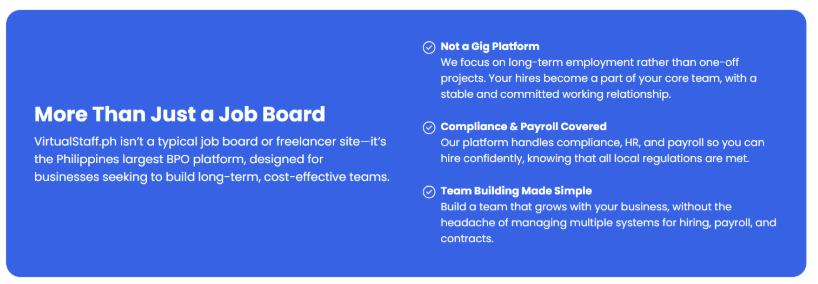
It’s not just a staffing service. It’s a done-for-you, fully managed hiring solution where businesses are matched with pre-vetted, full-time Filipino virtual assistants for a flat monthly fee of $1,000, inclusive of everything—staff salary, HR, payroll, and compliance.

This isn’t a job platform where you’re left to figure things out. It’s a plug-and-play full-service hiring solution designed to remove every pain point associated with remote staffing.

Here’s how it works:

  1. You tell VirtualStaff.ph what you need.
  2. They handpick candidates from a vetted pool of over 1 million professionals.
  3. You select who you want.
  4. They handle onboarding, HR, payroll, and compliance.
  5. You get full-time, dedicated staff working exclusively for your business.

And yes, it’s really just $1,000/month, all-inclusive.

Who Is This Hiring Solution For?

The $1,000/month hiring solution is designed for businesses that want to scale support operations without wasting time, increasing risk, or inflating overhead. It’s perfect for:

  • Entrepreneurs and solo founders who want to stop juggling everything themselves
  • Small to mid-sized businesses looking to build support teams
  • Growing eCommerce stores that need admin, customer service, or fulfillment help
  • Healthcare practices needing back-office staff
  • Real estate professionals seeking full-time admin or lead management
  • Agencies that need bookkeepers, appointment setters, or virtual assistants

Whether you’re hiring one person or 50, VirtualStaff.ph adapts to your scale—no learning curve, no long timelines, and no messy hiring logistics.

Why Businesses Are Choosing VirtualStaff.ph Over Job Boards

Job boards might appear convenient, but they come with their own set of problems:

  • You have to post jobs, screen resumes, conduct interviews, and handle endless back-and-forth.
  • You’re legally exposed when hiring international staff if you’re not compliant with local labor laws.
  • Many platforms provide no accountability—you’re on your own if something goes wrong.
  • Freelancers can disappear, underperform, or juggle multiple clients.

VirtualStaff.ph solves all of that with one fixed monthly payment and a fully managed backend team that takes care of everything for you.

The Simplicity That Business Owners Love

The appeal of this model is its straightforward simplicity:

  • No guesswork
  • No multiple software tools
  • No payroll confusion
  • No liability

You get a full-time virtual assistant, just like you would an in-office employee, but for a fraction of the cost—and VirtualStaff.ph handles all the logistics.

You’re not buying a subscription or software. You’re getting staff—real, skilled professionals—ready to work exclusively for your business full-time.

What Type of Roles Can You Hire?

One of the biggest misconceptions about remote staffing is that it’s limited to admin tasks. VirtualStaff.ph proves otherwise. You can build an entire virtual team for less than the cost of one local hire.

Here are some of the full-time roles businesses have successfully hired through the $1,000/month solution:

  • Customer support reps
  • General admin assistants
  • Bookkeepers and finance staff
  • Ecommerce support (order processing, inventory coordination)
  • Real estate assistants (CRM management, listing uploads, lead follow-up)
  • Medical admin support (patient coordination, billing, scheduling)
  • Social media support and marketing assistants
  • Recruitment and HR coordination
  • Data entry specialists
  • Sales support and outbound follow-up staff

All staff work full-time (40 hours/week), under your direction, while VirtualStaff.ph manages everything behind the scenes.

The Benefits of the $1,000/Month Solution

1. Fully Managed Recruitment

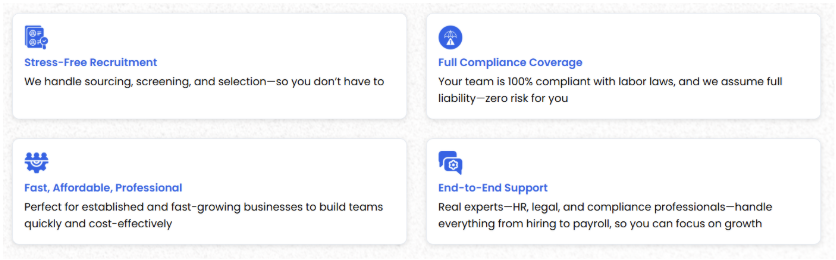
You don’t need to write job posts, filter applicants, or conduct endless interviews. VirtualStaff.ph’s HR professionals do that for you based on your business needs.

2. Top-Tier Talent Access

With access to over 1 million vetted Filipino professionals, you get matched with quality staff who want long-term, stable full-time employment—not gig workers or short-term freelancers.

3. Done-for-You Onboarding

All onboarding, documentation, and background checks are handled. The staff are employed through VirtualStaff.ph’s Philippines-based legal entity, ensuring 100% compliance with local labor laws.

4. Payroll & HR Covered

VirtualStaff.ph handles:

  • Salary disbursement
  • Attendance logs
  • HR issues and documentation

You never need to worry about payment compliance or labor laws.

5. Transparent, Fixed Pricing

No hidden fees. No tiered pricing traps. Just $1,000 per month, inclusive of everything. You know exactly what you’re paying, every month.

Why It’s Better Than Hiring Freelancers

Unlike freelancers, full-time virtual assistants hired through VirtualStaff.ph:

  • Work exclusively for your business
  • Show up every day, full-time
  • Integrate into your team culture and systems
  • Aren’t juggling multiple clients
  • Are more committed to your success

If you’re serious about building a stable support system and not just outsourcing tasks here and there, this model is far superior.

Who Is Already Using This?

Over 80,000+ professionals in the Philippines are already actively working full-time through VirtualStaff.ph, serving businesses across:

  • The United States
  • Canada
  • The United Kingdom
  • Australia
  • New Zealand

Thousands of businesses in healthcare, eCommerce, finance, real estate, digital marketing, and tech have cut costs and built loyal remote teams through the platform.

How to Get Started

Getting started is simple, fast, and doesn’t require any complex onboarding.

Here’s what the process looks like:

  1. Book a Discovery Call and Submit a Requirement
    Share what kind of virtual assistant or team you need.
  2. Let VirtualStaff.ph Do the Work
    Their HR team sources, screens, and shortlists ideal candidates.
  3. You Choose the Final Hire(s)
    You meet the candidates and choose who you want.
  4. VirtualStaff.ph Onboards the Staff
    Everything from contracts to compliance is handled for you.
  5. Your Staff Starts Working Full-Time
    You manage their daily tasks while VirtualStaff.ph handles the rest.

No setup fees. No long-term contracts. Just risk-free, professional staffing made simple.

Is It Really Worth It?

Here’s what you get for $1,000/month:

  • A full-time virtual assistant, handpicked for your business
  • All recruitment and onboarding done for you
  • HR, payroll, compliance taken care of
  • No legal exposure
  • No unpredictable costs

Compare that to hiring someone locally or even going through a traditional agency—and you’ll quickly see the value.

Businesses that use this solution often:

  • Save 70–80% on staffing costs
  • Scale faster without added complexity
  • Retain more control and visibility
  • Gain peace of mind with end-to-end support

Final Thoughts

In a world where remote staffing can either make or break your business, VirtualStaff.ph offers a smarter, safer, and simpler way to hire virtual assistants and full-time remote staff.

This $1,000/month solution isn’t just affordable—it’s stress-free, fully compliant, and built for growth. Whether you’re a startup founder, a healthcare provider, or an enterprise expanding support teams, this is the staffing model designed for how business is done today.

One flat fee. Full-time staff. Zero risk.

If you’re ready to get matched with your first full-time $1,000/month team member, head over to VirtualStaff.ph and discover how simple it can be to build your offshore dream team.


Read More

What Makes Webflow CMS Different—And Why Lean Teams Love It

What Makes Webflow CMS Different—And Why Lean Teams Love It
If you’ve ever tried to update a website and felt like you needed a developer just to move a headline, you’re not alone.

Many startups, solopreneurs, and lean marketing teams get stuck with bloated platforms or overcomplicated tools. That’s where Webflow CMS comes in—and why it’s become the go-to choice for teams that want flexibility without the technical overhead.

In this post, we’ll break down what makes Webflow CMS different from other platforms—and why it’s a perfect match for fast-moving teams, virtual assistants, and small businesses that need more control.

It’s Visual—But Powerful

Unlike traditional CMS platforms like WordPress, where managing content often means jumping between backend fields and guessing what things will look like on the front-end, Webflow gives you a live visual editor.

You can:

  • Edit text directly on the page
  • Preview your content as it appears to visitors
  • Make layout changes without code
  • Publish instantly—no developer required

For VAs and marketers, that means fewer bottlenecks and no late-night Slack messages to a developer asking how to change a headline.

Components, Not Chaos

Most CMS platforms offer templated pages—or none at all. In Webflow, your development team (or partner agency) can build reusable components that let you create new pages from building blocks.

Instead of:

  • Duplicating old pages and deleting content manually
  • Repeating layout builds for every landing page
  • Risking broken formatting with each edit

You get:

  • Component-based layouts tailored to your business
  • Visual consistency across every page
  • The ability to scale faster without reinventing the wheel

At Composite Global, we help businesses design entire websites using this kind of structure. It’s how our clients launch faster—and avoid the mess of one-off pages that become impossible to manage over time.

Built-In Performance Optimization

Most CMS platforms need plugins to perform well. Webflow comes with:

  • Clean, semantic code
  • Built-in lazy loading
  • Responsive design defaults
  • Hosting via fast global CDN

Translation: your site loads faster, ranks better, and requires fewer tech tweaks to stay in shape.

Performance isn’t just for big companies. If you’re running a service business, a slow site can kill conversions. Webflow gives you enterprise-level performance without the enterprise budget.

Clients Can Actually Use It

Here’s a major reason lean teams love Webflow CMS: non-technical people can actually use it.

Want to:

  • Add a new blog post?
  • Update a team member bio?
  • Swap in new testimonials?

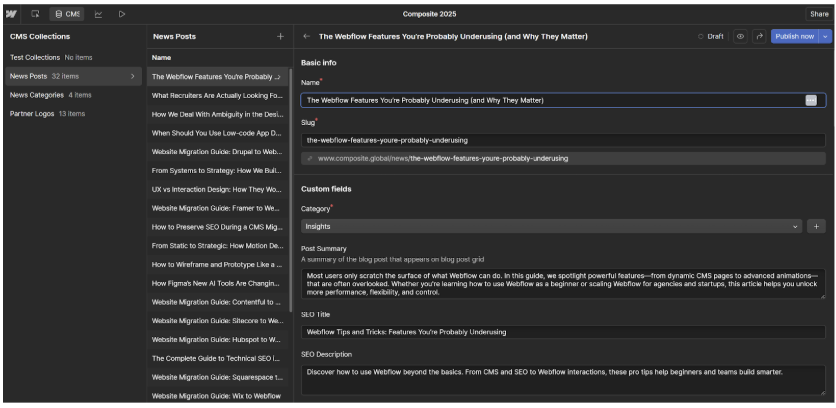
You can do all that in the Webflow CMS panel, without fear of breaking your layout—or breaking into a sweat.

If you’re a virtual assistant or support a small marketing team, this makes Webflow a powerful tool in your hands. It empowers you to keep content fresh without waiting on dev cycles.

It’s Designed for Modern Workflows

Remote teams. Freelancers. Agile sprints. Webflow fits into the way people actually work today. That’s a big part of why we use it to power everything from fintech companies to educational brands.

Unlike clunky legacy CMS platforms, Webflow lets teams:

  • Collaborate on design and content simultaneously
  • Ship pages without context switching
  • Maintain brand consistency across fast-changing sites

It’s the CMS built for real work—not just web hobbyists.

Webflow CMS Is Built for Teams Who Don’t Have Time to Wait

Whether you’re part of a virtual assistant network or running a lean internal team, Webflow CMS helps you do more—faster.

And when you pair it with a strategic design system and clean site architecture, it becomes a long-term asset that grows with you.

Want to see what a scalable, editable Webflow site looks like?
Check out our services and see how we help teams like yours build smarter.

Read More

Icons8: My Ultimate Design Resource Discovery

Icons8: My Ultimate Design Resource Discovery

The Day My Icons Got Brutally Exposed

Two weeks ago, I presented this web interface design to a client’s UX team. Their lead designer – an incredibly sharp woman – stops my demo and says, “These UI elements feel inconsistent. Like you sourced them from different design libraries.”

Damn. She was right. I’d grabbed navigation arrows from Phosphor, interaction buttons from Heroicons, and interface controls from some random Figma community resource. Each looked fine individually, but as a complete web interface? Complete mess.

The frustrating thing? I’ve been designing web interfaces for years. Still making the same amateur mistake – collecting icons from six different libraries and somehow expecting visual harmony. Doesn’t work. Never has.

That feedback got under my skin. Spent my weekend digging for solutions instead of my usual gaming routine. That’s when I stumbled onto Icons8. The first impression was, “Oh great, another platform boasting about millions of icons.” But testing it? Completely different story.

Icons8’s Genius Approach to Visual Unity

Most icon platforms categorize everything. “Web icons.” “Interface icons.” Standard approach. Icons8 did something way more innovative – they built complete visual ecosystems. 45 different families where every single icon works together.

Real example: this dashboard interface I just finished. Needed navigation controls, data visualization, user management, interaction feedback, and progress indicators. Used their “iOS Filled” style, and everything clicked beautifully—same visual DNA throughout – matching stroke weights, identical corner treatments, unified aesthetic language. Usually takes weeks hunting for matching icons. This time? One day.

Their SVG code doesn’t suck either—clean structure, sensible naming, no bizarre nested chaos. Animation and path editing become logical instead of frustrating.

Format Coverage That Helps

PNG, SVG, PDF, EPS, PSD, AI – they deliver everything. Matters because real projects need different formats. Web developers want SVGs. Print people need EPS. Quick mockups use PNG. Mobile teams need multiple sizes.

One source beats constantly jumping between vendors. They understand platform quirks, too. iOS has specific visual rules. Android does things differently. Desktop apps require a similar approach: the same icon concept, but with different execution for each platform.

API That Doesn’t Break Down

Their REST API works reliably. I’ve used it on perhaps a dozen projects, and I’ve never had any major failures. Dynamic icon switching based on user preferences? Runs smoothly. Performance problems? Haven’t seen any.

Documentation includes real examples that compile correctly. Revolutionary concept, right? The API handles icons, illustrations, photos, and music through a single endpoint. Makes complex integrations much easier.

Plugin Integration That Works

Figma plugin puts over a million assets right in your workspace. No more tab switching hell. No file management nightmares. No “where did I save that icon” moments.

Working on interactive web interfaces requires precise UI elements, such as custom cursor icons and other interaction symbols. Everything maintains a consistent behavioral design across all interface components. Makes the whole user experience feel intentional instead of thrown together.

The productivity jump is real. Used to bookmark twenty icon sites, constantly breaking focus. Now everything lives where I’m already working.

AI Tools That Don’t Disappoint

Smart Upscaler, Background Remover, Face Swapper sound like marketing bullshit. They’re practical. Background remover often beats Photoshop. Clean edges, natural separation.

Smart Upscaler saved my ass recently. The client provided outdated interface assets that appeared poorly at the required sizes. Ran them through Icons8 – perfect results at any scale. Quick processing, too.

Image search works well. Upload interface screenshots and receive relevant iconography suggestions. Upload dashboard mockups and obtain UI symbols. Simple but effective.

Who Gets Value

Big Companies

Enterprise teams struggle with consistency across products. Scattered icons create maintenance nightmares. Icons8’s systematic approach significantly reduces costs. Tech teams love clean code and predictable naming. Saves significant time on large implementations.

Schools and Students

Free tier with attribution works great for education. Students build professional projects without budget stress. Style libraries teach consistency principles effectively.

Startups

Limited resources make hiring icon specialists impossible. Time savings alone justify subscription costs—professional aesthetics without professional budgets.

The Annoying Stuff

Money Issues

$13 monthly starting point. Suitable for established professionals, but challenging for freelancers or students just starting out. The free tier covers some cases, but serious work requires paid access.

Support Is Garbage

Customer service consistently disappoints. Billing problems drag on forever. Getting responses takes ages. Need reliable vendor support? This will frustrate you.

Illustration Gaps

Icons are comprehensive. Illustrations? Pretty sparse across most styles. Need extensive custom illustration work? You’ll need other sources.

Technical Performance

Works on all platforms: web, Mac, Windows, and Linux. Offline mode helps when internet craps out. Performance stays solid during heavy usage. Doesn’t slow your system down.

SVG quality needs minimal cleanup compared to competitors. Naming follows logical patterns. Implementation becomes straightforward.

Making It Work for Your Team

Design Teams

Best value when consistency matters across big projects. Building design systems? Maintaining brand coherence across touchpoints? Immediate efficiency gains.

Setting up an investment pays off through less maintenance and faster iterations.

Development Teams

Clean code standards, predictable organization, and reliable API. These directly impact development speed and app performance.

Education

Great for teaching systematic design while giving students professional resources.

The Bottom Line

Icons8 went from a basic icon library to an essential design infrastructure. Support issues and pricing might be dealbreakers for some, but the core product solves real workflow problems.

Main strength: systematic consistency plus solid technical execution. Care about efficiency and quality? This scales nicely across different project types.

Traditional icon hunting across random sites feels outdated now. This approach works better for maintaining consistent design quality.

The platform isn’t perfect – nothing is. But it solved my biggest workflow problem: finding icons that belong together. For web interface designers, that’s incredibly valuable.

Been using it for months. Can’t imagine going back to the scattered approach. Sometimes you find tools that click with your workflow. This is one of those.


Read More

How VAs Use Introducing Broker Roles to Build Passive Income

How VAs Use Introducing Broker Roles to Build Passive Income

Virtual assistants (VAs) are becoming entrepreneurs in their own right. One powerful avenue for creating financial stability and long-term income is by stepping into the role of an Introducing Broker (IB). This relatively low-risk business model allows VAs to partner with financial firms, primarily in Forex, crypto, or other trading markets, and earn commissions by referring clients. For those already skilled in outreach, communication, and digital marketing, this role complements the VA toolkit perfectly. With the right strategy and platform, VAs can transform a one-time referral into a stream of ongoing passive income. In this blog post, we explore how VAs can successfully leverage IB opportunities to diversify their earnings and build sustainable wealth.

Understanding the Introducing Broker Model

An Introducing Broker acts as a middleman who introduces new clients to a brokerage in exchange for a commission. Unlike traditional brokers, IBs don’t execute trades or handle client funds. They build networks and trust with potential traders. This distinction makes it an ideal role for VAs who are adept at client relationship management and digital outreach. Because most IB programs offer residual commissions based on a client’s trading activity, one successful introduction can yield ongoing income for months or even years. This system is attractive for VAs looking to supplement their active income with a more passive source of revenue.

Choosing the Right Brokerage Partners

Not all brokerages offer the same level of support, commission structures, or client satisfaction. VAs interested in becoming IBs must do their due diligence when choosing partners. When you want to start partnering, look for brokers that offer transparent reporting, competitive payouts, strong reputations, and accessible training resources. Some brokers provide marketing tools and onboarding support, making it easier for IBs to hit the ground running. It’s also vital to ensure the brokerage is compliant with local regulations and offers fair trading conditions to clients. This ethical foundation protects the VA’s reputation and encourages client longevity, which directly impacts passive income potential.

Capitalizing on Existing Networks and Skills

VAs are already familiar with prospecting, lead generation, email campaigns, and social media engagement, all skills directly applicable to the IB role. Many already have access to niche audiences or professional communities, which can be a goldmine for referrals. For example, a VA who works with e-commerce entrepreneurs may notice that a portion of their clients are interested in diversifying their income through Forex or crypto. By aligning themselves with a reputable brokerage, the VA can introduce these clients to trading platforms and earn ongoing commissions. The key is in understanding the target market’s interests and aligning the right offer with the right audience.

Marketing Strategies That Work

Effective marketing is the bridge between opportunity and profit for VAs acting as IBs. Building a branded landing page, creating educational content, or hosting webinars can all increase visibility and trust. Leveraging social media platforms like LinkedIn, Instagram, and YouTube helps reach a broader audience without significant financial investment. Many successful IBs use email marketing to nurture leads and provide value-based content about trading tips, market insights, and platform features. As a VA, organizing this marketing infrastructure comes naturally, allowing for an automated client acquisition system that generates income with minimal ongoing effort.

Tracking Results and Optimizing for Growth

Once clients start signing up through an IB link, tracking performance is vital to scaling results. Most brokerages offer dashboards where IBs can monitor clicks, conversions, deposits, and commissions. VAs should analyze this data regularly to see which campaigns or strategies yield the highest returns. For example, if a certain YouTube video drives more sign-ups than Instagram posts, it makes sense to double down on video content. This analytical approach allows for continual refinement and more predictable growth. A VA can identify the most profitable client segments and fine-tune messaging for maximum conversion and retention.

Balancing Active and Passive Income Streams

One of the most attractive features of the IB model is its ability to generate income long after the initial work is done. Still, VAs shouldn’t see this as a full replacement for their core business, at least not initially. It should function as a complementary stream that grows in parallel with client work. This diversification reduces financial stress during slow seasons and offers a foundation for greater financial independence. As the passive income grows, some VAs may choose to reinvest in new ventures or gradually shift their business model. The flexibility and low barrier to entry make the IB route a strategic move for any VA with an entrepreneurial mindset.

Virtual assistants are uniquely positioned to benefit from the introducing broker model thanks to their skillsets, networks, and understanding of online business ecosystems. By choosing the right brokerage partners, deploying targeted marketing strategies, and actively tracking performance, VAs can build a solid source of passive income that aligns with their long-term financial goals. Whether it’s an additional revenue stream or a stepping stone to full-fledged entrepreneurship, the IB role offers a rewarding pathway for growth, stability, and freedom in the economy.

Read More

Maximizing Your Marketing Strategy: The Remote Digital Marketing Assistant

Maximizing Your Marketing Strategy: The Remote Digital Marketing Assistant
Marketing is the most important task of any business. It is essential for driving growth, engagement, and brand visibility. But the harsh part is that it is time-consuming and overwhelming when you are busy with thousands of other responsibilities. That’s when a remote digital marketing assistant comes into play.

A virtual digital marketing assistant is your secret weapon, handling content creation and social media to SEO and email campaigns. This blog will try to clarify how virtual pros can help you streamline your marketing efforts and boost efficiency in achieving business goals.

What is a Remote Digital Marketing Assistant?

A virtual assistant is a professional that helps you from afar. Traditional in-house marketers work from the office, but virtual assistants are an easy way to get marketing support without breaking the bank on overheads for a full-time employee.

Some examples of the type of tasks they can do include:

  • Social media management: scheduling posts, managing followers, and keeping track of metrics.
  • Content creation — writing blogs, e-newsletters, and social media copy.
  • SEO: tweaking your website to rank better on search engines.
  • Email marketing-drafting or sending newsletters, automation of sequences, and analytics performance on it.
  • Paid advertising: PPC campaign management on Google Ads or on social media platforms.

A digital marketing assistant is waiting patiently for your call to connect with you and make access to numerous skills streamlined, tailored to business needs, and take the lead in transforming a marketing strategy without overextending resources.

Why Your Business Needs a Remote Digital Marketing Assistant 

So why should you consider bringing a remote digital marketing assistant on board? Here are some compelling reasons: 

  1. Cost-Effective Expertise
    Hiring a full-time marketing team can be expensive, especially when you factor in salaries, other benefits, and office space. With the assistant working anywhere in the world, you’ll access that expertise at a fraction of that cost, so you’ll have more money to invest in your real marketing efforts.
  2. Flexibility and Scalability
    Marketing requirements are fluid, and sometimes you want to scale up or down depending on the project or season. A remote digital marketing assistant lets you adjust as your needs change with flexibility without the commitment of a full-time hire.
  3. Generalist Availability
    Virtual assistants can include experts in SEO and content writing, social media, email marketing, and much more, ensuring diversity in the scope of the skills provided. This means you are not confined to one narrow area of expertise and get a broad push for your marketing strategy.
  4. Time Savings
    Marketing is so time-consuming, one would admit. Outsourcing to a digital marketing assistant working remotely will give you all the free time required for high-level decisions, business growth, and more relationships with clients.
  5. Consistent Presence
    Consistency is the heart of marketing. With a remote digital marketing assistant, your content will be frequently put out there, meaning the brand will be constantly kept in mind and engaged with the target audience.

Key Function of a Remote Digital Marketing Assistant

Let’s break down some of the core jobs that a digital marketing assistant can handle remotely to enhance your marketing strategy:

  1. Social Media Management

Managing social media isn’t just a simple act of posting updates; it’s about interacting with your audience, analyzing trends, and having a vocal brand. Now, in this, a remote digital marketing assistant can schedule posts, comment back, and analyze performance metrics to optimize your presence on social media.

  1. Content creation and writing blog posts

Content is king, but so very much work. From topic research to writing, editing, and publishing, content creation may consume your entire day. A remote digital marketing assistant takes charge of producing engaging blogs, newsletters, and other materials that present your brand’s voice and objectives.

  1. SEO

SEO drives organic traffic to your website, but it will require a remote digital marketing assistant to do keyword research and content optimization. The assistant will also keep track of the performance of your website, so you stay ahead of your competitors in the race for search rankings.

  1. Email Marketing Campaigns

Email is quite possibly one of the most efficient channels by which you can interact with your audience. You can have a virtual digital marketing assistant to help you build and manage an e-mail list, write engaging newsletters, and show you statistics for open rates and click-throughs to fine-tune the process.

  1. Paid Ad and PPC Management

Paid advertisements can build targeted visitors, but only if strategically executed. A virtual digital marketing assistant can manage your PPC campaign so that you are assured of your advertisements being maximized for the greatest return on investment.

  1. Analytics and Reporting

What works and what does not? A remote digital marketing assistant can track everything, providing you with detailed reports of how your marketing efforts are performing — what has been successful and where improvements can be made. It is from the data-driven experience that such a service presents possibilities to refine a strategy and put your money in the right places for your marketing.

Making the Best of Your Marketing Strategy with a Remote Digital Marketing Assistant

Now that you have some benefits, let’s look at how you can work effectively with your remote digital marketing assistant and get the best out of your strategy:

  • Clearly Define the Goals
    One should set their goals to gain more growth. It can be growth in social media followers, generation of leads, or any other set of goals. When you define these goals for your assistant, they will be focused on proper tasks to execute based on the strategy.
  • Set Expectations
    Dealing with a virtual assistant requires an open line of communication. Deadlines, deliverables, and the level of autonomy you are comfortable with should be set. That is how you will avoid misunderstandings and keep your marketing on track.
  • Use the Right Tools
    Leverage project management and communication tools like Trello, Slack, or Asana to stay in touch with your assistant. Tools like these keep everyone abreast of their task list and help ensure that the actual work is done by the time set.
  • Grant Access to Resources
    Ensure your assistant has everything they need: branding guidelines, previous marketing, and analytics tools. This way, they are completely provided for; when making decisions, they can refer to guidelines, such as branding, and ensure that the consistency of the brand is alive.
  • Regular Check-ups and Feedback
    Schedule regular check-ins with discussion on progress and give them feedback for changes in the strategy if things aren’t working out. Continued communication ensures your marketing efforts match what you want for your business.

Real-Life Impact of the Remote Digital Marketing Assistant

Imagine this: a small business owner who cannot maintain his or her marketing tasks would hire a virtual assistant. Within several months, social engagement has doubled, Google rankings have improved, and email open rates have jumped significantly. The owner can now focus on strategic growth as he or she is confident with his or her marketing being well taken care of.

This is not merely a hypothetical world — it is an actual difference a remote digital marketing assistant can make for your company.

Conclusion

Marketing, they say, is not rocket science. With the hiring of a remote digital marketing assistant, the business will open up world-class skills, strategies, and expertise that could make its marketing efforts explode beyond what one ever thought was possible. No matter if it is managing social media, creating great content, or analyzing performance, you can be sure that these virtual professionals are always on hand every step of the way.

Running a successful business takes work and, therefore, will resort to virtual assistant services tailored to order, in a bid to help simplify your marketing strategy. Hire our experts to handle your marketing task while you get on with other important tasks to grow your business.

That is usually a virtual employee who would help in different aspects of marketing. That includes social media management and maintenance, content, SEO, email marketing, and others.

FAQs

Q: How will the remote digital marketing assistant support my marketing strategy?

A: They take over the monotonous work, bring diverse skills, and offer experience-based knowledge that helps sift through all marketing activities to produce better results.

Q: How can a remote digital marketing assistant improve my marketing strategy? 

A: They can handle time-consuming tasks, bring diverse skills, and provide expert insights that help refine your marketing efforts for better results.

Q: Why should I hire a remote digital marketing assistant instead of a full-time employee? 

A: Remote digital marketing assistants offer flexibility, cost-effectiveness, and the ability to scale services according to your needs without the overhead of a full-time hire. 

Read More

How to Set Up Your Business Infrastructure Before Hiring a Virtual Assistant

How to Set Up Your Business Infrastructure Before Hiring a Virtual Assistant
It’s well-known that hiring a virtual assistant can be a smart, cost-effective way to lighten your workload and scale your business. However, it’s not something you can do without any thought. Bringing in a virtual assistant without the right infrastructure in place, and this can cause issues such as miscommunication and lost productivity. 

That’s why, before you begin delegating tasks, it’s worth checking that your systems are ready to support a remote team member. Get the setup eight, and your virtual assistance can jump in and contribute real value right from the start. 

Here’s how to make it a reality. 

Clear Communication Tools 

Communication is the foundation behind any remote working relationship. Does your virtual assistant not have the ability to collaborate easily? Then be ready to experience lost updates, tasks being missed, and ultimately a breakdown in the working relationship. 

To avoid this situation, set your business up with reliable, cloud-based tools which offer multiple communication channels. Platforms like Slack and Microsoft Teams allow for structured communication, along with quick check-ins and virtual meetings. By having these tools in place from the start, it helps your VA remain aligned with your company’s goals. 

Task and Project Management Systems 

It’s no secret that virtual assistants thrive when expectations are clear. That’s why it is recommended to use a shared task management system. These allow you to set deadlines, assign priorities, and track progress – all in one place. 

It doesn’t matter if you use Trello, Asana, or another task management solution. The key is to build a workflow that’s easy to follow. Keep processes simple and consistent. That way, your virtual assistant doesn’t waste time figuring out what to do next. They simply do it without further prompts. 

Centralised Document Storage 

Say your files are scattered across inboxes, desktops, and USB drives. In this situation, your VA will struggle to access what they need. That’s why it is recommended to utilise a cloud-based storage solution. 

These solutions make document sharing quick, secure, and searchable. That’s not all. It also assists in ensuring version control. This is especially important if your virtual assistant is helping with the likes of content and admin documents. 

Stable Connectivity and Secure Access 

It’s easy to overlook the technical infrastructure that’s behind how your team connects to each other and your systems. When you rely on a remote virtual assistant – especially in customer-facing roles or logistics support – your broadband, mobile, and cloud access must be dependable. 

This is where a provider like Radius can play a key role. Radius offers telecoms and IT solutions built for businesses managing remote and hybrid teams. Whether it’s setting up secure cloud telephony or ensuring strong mobile coverage, a reliable connectivity setup keeps your virtual assistant plugged into the core of your operations, and with no interruptions cropping up. 

Clear Processes and Documentation 

Finally, make sure your virtual assistant isn’t starting from scratch. It’s recommended you build a basic onboarding guide with clear instructions on how to handle common tasks, what tools to use, and who to contact in specific situations. 

Even a short document outlining your brand and how it operates can make a huge difference in getting your virtual assistant up to speed quickly. 


Read More

AI vs. human designers: who wins in business card creation?

AI vs. human designers: who wins in business card creation?

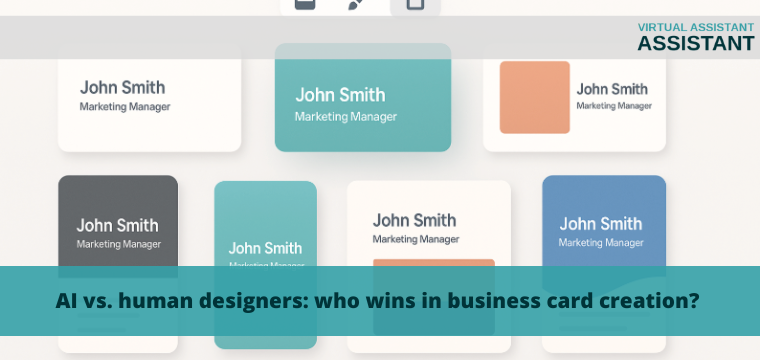
Designing a business card is not just about placing contact information and a logo—it’s about creating a branded visual identity that makes a lasting impression. With the rise of artificial intelligence in design, many professionals are weighing the advantages of AI tools versus human expertise. Each offers unique strengths, and the best choice depends on your goals, budget, and the level of personalization you need.

Key differences between AI and human designers

AI tools operate through data-driven algorithms that automate design tasks based on pre-programmed logic. Human designers, by contrast, rely on intuition, experience, and creativity to develop visual solutions tailored to your specific needs. AI works within parameters and generates variations quickly, while designers interpret brand context and create from a conceptual foundation.

Another key distinction is adaptability. AI can generate dozens of options rapidly, but a human can interpret feedback, identify subtleties, and apply emotional nuance. The final result may look similar at a glance, but the thought process behind each is fundamentally different.

Advantages of AI in business card design

Why choose AI for business card creation

  • Fast generation of design options
  • Accessible to users without design experience
  • Low-cost and easy to use

AI is ideal for quick, standardized design needs. It eliminates guesswork by automatically aligning fonts, layouts, and colors. For startups, freelancers, or anyone needing a basic card, AI offers impressive speed and efficiency. Most platforms guide users step-by-step, so even without creative background, it’s possible to produce a polished result with an AI business card generator.

AI also minimizes the need for revisions. Once you’ve entered your brand details, the tool provides a range of usable options in seconds. This convenience makes AI appealing to those on tight deadlines or limited budgets.

Advantages of working with a human designer

Human designers offer a personalized approach. They can take into account your industry, personality, audience, and long-term brand strategy. While AI is great at reproducing patterns, a designer brings originality and insight that’s not algorithm-based.

If your business card is part of a broader branding effort, a designer ensures every visual decision supports your message. They can also incorporate custom illustrations, typographic treatments, or layout techniques that are not achievable through automated tools. For projects requiring subtle detail, a human perspective is often more aligned with your vision.

When to choose AI

AI is the best option when you need a clean, professional result quickly. If you’re launching a new product, attending a last-minute event, or updating outdated business materials, AI can deliver an efficient solution.

It’s also a practical tool when you don’t have the time or resources to hire a designer. For companies that need to create cards for multiple team members, AI helps maintain consistency without the overhead of custom design for each card.

When a designer is the better choice

If you need a business card that reflects deep brand values or creative positioning, working with a designer is the better option. A custom layout, unique printing technique, or brand story that requires visual translation will benefit from human interpretation.

Additionally, designers offer consultation. They can challenge assumptions, propose unexpected ideas, and refine the layout beyond standard formats. When the card is part of a premium experience or high-stakes presentation, a designer adds value that AI alone cannot replicate.

Can both approaches be combined?

Many businesses now use AI to create initial drafts and then turn to a designer for final refinements. This hybrid approach combines the speed of AI with the insight of human creativity. You can start with AI to define layout and structure, then use a designer’s skills to polish and elevate the concept.

This model is especially useful for small businesses that want to balance budget and quality. It offers flexibility and helps maintain control over the visual outcome. Combining both methods often leads to faster production and stronger results.

FAQ

Can AI fully replace a designer?
No. In complex or conceptual projects, human creativity and understanding remain essential.

Is it a good idea to use AI for first drafts?
Yes. It’s a fast way to generate a solid starting point.

Does AI help reduce design costs?
Yes, especially for standard layouts and bulk design needs.

What are AI’s limitations in business card design?
It struggles with strategy, emotion, and unique visual storytelling.

What should small businesses choose?
AI is a great first step, but human input becomes more valuable as your brand grows.


Read More

Must-read for VAs: What is the Remedy for Missing iPhone Data?

Must-read for VAs: What is the Remedy for Missing iPhone Data?

In this rapidly moving age of remote work, virtual assistants are highly dependent on their phones[now] more than ever to do most of their work (and talking) and to store client and work details. But what do you do when your iPhone data disappears out of nowhere? Whether you accidentally delete a file, suffer a software malfunction or get hit by a corrupted backup, the loss of data can be horrible for a virtual assistant that’s juggling so many client duties.

This guide is not only for you to learn why you lose data on iPhone, how to prevent it from happening and how to recover precious data when such a thing occurs.

Why Virtual Assistants Need to Care About IPhone Data

As a virtual assistant, your iPhone is more than just a phone, and you often use it for more than just calls. You use it for:

  • For schedules and calendars
  • Sending and receiving client messages
  • Keeping passwords, login information, and project notes
  • Sounds - taking voice notes, recording to-do lists

Browsing the web and logging in to cloud services that you trust (like Google Workspace or Asana)

Common Causes of iPhone Data Loss

The first step to keep it from happening is to understand why it occurs. These are the main use cases virtual assistants face:

Accidental Deletion

You’re making room, and suddenly your Notes app or some client contact is gone.

iOS Update Failures

In some cases, data corruption or incomplete restores can occur because of updating to a new iOS version.

Physical Damage

If you drop your iPhone in the pool, you could be unable to access files or they could be corrupted.

Malware or Unauthorized Apps

While iPhones are secure, downloading apps from third-party stores can pose a risk.

Jailbreaking

Imprisoning your iPhone might offer more flexibility, but it also risks your iOS device’s data.

iCloud Sync Errors

Sync issues through iCloud can cause files to go missing, particularly if you are working from changes between different devices.

Initial Actions You Should Do When Data Lost Happens on iPhone

Step 1: Stop Using the Device

The time when your lost data get overwritten is more and more when you continue using iPhone. If you have done anything wrong or suspect corruption, stop using the phone.

Step 2: Verify the Recenty Deleted Folders.

Apps, like Photos, Notes and Files, frequently feature a “Recently Deleted” area. If you are lucky, the data could still be around.

Step 3: Verify iCloud or iTunes backups If you have saved your chat history through either iCloud or iTunes, try the following to restore the lost messages.

You may have an auto-backup archived on iCloud or in iTunes. Be sure the date of the backup file is less than your existing data to avoid overwriting it!

Virtual Assistant data recovery with pre-installed tools

Apple has a few in-house options that might be useful:

  • Cloud. com: Transfer contacts, calendars, reminders, and more.
  • iTunes/Finder Restore: Restore an iPhone backup if possible.
  • Notes & Files Restore from “Recently Deleted” folders in 30 days.

But these solutions typically fail if the data was lost more than a couple weeks prior, or if a backup was never made at all.

Professional Data Recovery: When To Ask for Specialist Help

If you’ve deployed all the tips above and your data is nowhere in sight, it might be time to find a professional iPhone data recovery service. These services focus solely on retrieving lost or deleted files from a damaged, corrupted, or otherwise inaccessible iPhone—even if software tools can’t extract the data.

For example, click here to explore a trusted recovery option that handles a variety of complex iPhone data issues.

Some of the features offered by professional recovery services include the following:

  • support for tattered or wet iphones
  • Retrieve lost messages, contacts, photos, etc.
  • Safe treatment with no overwriting of data
  • Encryption and security for recovery process

Why A VA Needs Professional Data Recovery

The role of a virtual assistant is high-trust and high-responsibility. You may also damage your reputation if you lose client information—yes, even if it’s unintentional. Professional services have a number of significant benefits:

  • It’s Time Consuming: Attempting to recover the data yourself can take hours with nothing to show for it. It is often a quick recovery for professionals to get it back.
  • No More Risk of Loss: DIY tools can overwrite the data you’re attempting to recover.
  • Security and Privacy: You need to remain sure that confidential client information won’t find its way to wrong/wrongful hands.

Choosing The Right Recovery Service

Here’s what to look for:

  • Prior experience with iPhones: Ensure that the service lists iPhone recovery explicitly.
  • Secure Recovery: You want to see that recovery is encrypted and file transfer is secure.
  • Honest Pricing: You should receive a verifiable price before you agree.
  • Customer Reviews: Always look at testimonials and success rates!

How to avoid losing the data of iPhone for VAs as a Virtual Assistant

The first line of defense is always the best. To minimize the risk of data loss in the future, keep to the following guidelines:

✅ Enable Daily iCloud Backups

If automatic backups are not already enabled, go to Settings > Your Name > iCloud > iCloud Backup and enable automatic backups.

✅ A Note and Task App In The Cloud

Applications such as Google Keep, Evernote or Notion synchronise content between devices and help to avoid being locked into a single ecosystem.

✅ Backup Manually Every Week

Make manual backups using iTunes or Finder – especially before major updates.

✅ Avoid Unverified Apps

Install only apps from the App Store to protect your data from apps that steal data.

✅ Strong Passwords and 2FA “Make sure you are using strong, unique passwords and two-factor authentication,” Ms. Tamblyn says.

For sensitive info, use two-factor authentication and encrypt your password manager.

✅ Buy a Waterproof & Shockproof Case You never know when a shave will get diced by the good ol’ Earth.

This will help prevent physical damage to your device, which is a major data loss risk.

Conclusion

Losing your iPhone data can be a devastating thing – but even more so if you’re a virtual assistant and rely on your smart phone to help keep your priorities in order, amongst other tasks. Although Apple’s built-in tools provide a little in the way of recovery solutions, they tend not to be very effective in more serious situations.

That’s where professional recovery services come in, providing peace-of-mind, time-saving convenience, and greater possibility of successful data recovery. If you ever find yourself in need of a trusted expert, don’t wait to click here to find your provider.

In the meantime, be proactive: back up your data, secure your device, and use smart digital hygiene. It is also the best way to protect your productivity and the trust of your client.


Read More

Boosting Productivity: ChatGPT Lead Generation Tips for Virtual Assistants

Boosting Productivity: ChatGPT Lead Generation Tips for Virtual Assistants

In the fast-paced world of virtual assistance, carving out space for lead generation amidst endless client requests can be daunting. ChatGPT offers a powerful, flexible ally—one that can sift through data, draft tailored messages, and even surface fresh prospects in mere seconds. By mastering a few strategic techniques, you can transform lead gen from a time-sink into a streamlined, scalable process. 

1. Master the Art of Prompt Engineering

Think of your prompts as the blueprint for a well-oiled machine: the clearer and more detailed, the better the output. Rather than a vague “find leads,” be specific:

“Identify ten mid-market SaaS companies in North America that closed a Series A round in the last six months and could benefit from email marketing support.”

Once ChatGPT returns a list, refine it:

“Filter those companies for annual revenues between $5 million and $20 million, and add the name of their marketing director.”

Over time, you’ll build a personal catalog of tailored prompts—your secret weapon for instant, high-precision prospect lists. This library ensures that every query aligns with your clients’ ideal customer profiles, turning hours of research into moments of prompt execution.

2. Turn ChatGPT into a Top-of-Funnel Discovery Engine

Beyond prospect lists, ChatGPT can surface and summarize referral-ready content—turning your clients’ existing assets into launchpads for outreach. For example, how B2B businesses like Marcel Digital are using ChatGPT for lead generation illustrates this modern approach: GPT not only crafts messaging at scale but also cites real content, driving referral traffic from AI interfaces straight to your client’s site

How to apply this:

  1. Input key URLs—feed ChatGPT links to your client’s top-performing blog posts or case studies. 
  2. Ask for hooks—request two-sentence summaries and three outreach hooks drawn from those assets. 
  3. Deploy in outreach—embed AI-cited snippets in emails, LinkedIn messages, or social posts to create instant credibility and spark curiosity. 

3. Craft High-Converting Outreach Templates

Personalized messaging is what separates a cold email from a warm introduction. Start with a basic framework:

“Hi [Name], I noticed [specific insight]. I help companies like yours [value proposition]. Would you have 10 minutes this week to chat?”

Then ask ChatGPT to:

  • Rewrite in a friendlier voice. 
  • Propose five subject lines optimized for a 40–60% open rate. 
  • Generate two A/B variants of the closing line. 

By iterating on tone, length, and structure, you’ll end up with a suite of proven templates. The result? Messages that feel handcrafted, even when sent at scale—giving you more replies with less manual writing.

4. Design Irresistible Lead Magnets in Minutes

Great lead magnets solve a real pain point. With ChatGPT, you can draft outlines for eBooks, checklists, or webinar scripts in a flash. For instance, prompt:

“Produce a 10-chapter outline for an eBook titled ‘5 Email Sequences That Boost Demo Rates by 30%’. Include chapter titles, bullet-point content ideas, and two data-driven examples.”

In seconds, you’ll have a detailed structure ready for your own polish. When your lead magnet speaks directly to a prospect’s challenges—be it “nurturing cold leads” or “reducing no-shows”—it becomes a powerful hook. Host it behind a sign-up form, then feed new contacts straight into your nurturing workflows, all while you focus on higher-level strategy.

5. Automate Follow-Up Sequences with AI Insights

Persistence wins deals—but crafting multi-step follow-ups by hand can be soul-crushing. Instead, let ChatGPT draft complete email sequences. Provide your desired cadence and tone, then request:

  1. Initial outreach – A concise message introducing your value.
  2. First follow-up – A gentle reminder plus a fresh insight or resource.
  3. Second follow-up – Social proof or a brief case study.
  4. Final “break-up” email – A friendly sign-off, leaving the door open.

To back your strategy with data, note that 49% of salespeople report generative AI tools are effective for writing prospecting messages. Once you have your sequence, upload it to your email platform—be it Mailchimp, HubSpot, or another—and automate the schedule. The result is a hands-free drip campaign that keeps your brand top-of-mind without extra effort.

Conclusion

ChatGPT isn’t here to replace your judgment—it’s here to amplify it. By mastering prompt engineering, turning AI into a discovery engine (à la Marcel Digital), crafting persuasive templates, whipping up lead magnets, and automating thoughtful follow-ups (with HubSpot-backed confidence), virtual assistants can transform lead generation into a strategic advantage. As AI continues to evolve, those who integrate these techniques will not only reclaim precious hours but also deliver higher-quality leads and stronger client results. Ready to elevate your workflow? Give these tips a try and watch both your productivity and your success rates soar.


Read More