
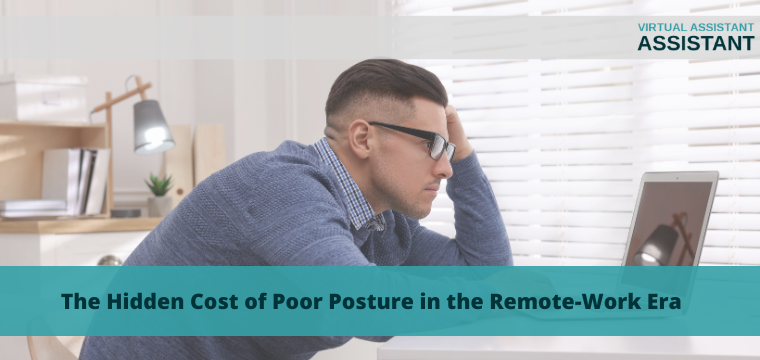
 The Hidden Cost of Poor Posture in the Remote-Work Era
In many ways, the dawn of the remote-work era seemed like a turn towards paradise: after all, who wouldn’t love to make money by doing work from the comfort of home? However, even though remote work has become a new norm for many and led to many beneficial changes, things aren’t quite as perfect as they seem. Below, we’ll explore some of the invisible costs of poor posture during remote work, showing you how your seemingly-relaxing day could actually be worsening your long-term health and productivity.
Remote Work Can Harm Your Mind and Body
Musculoskeletal Problems
Are you constantly dealing with a stiff neck and shoulders, back pain, or sore wrists? Poor posture during remote work might be the problem. Sitting on a couch or in a chair for eight hours or more each day might feel comfortable, but it forces the body into unnatural positions that can cause repetitive strain injuries (RSI). Poor posture can also cause spinal misalignment, nervous system or metabolic disruption, and even breathing issues.
Mobility Issues
Posture has a major effect on our muscles and bones, meaning poor posture can lead to reduced mobility. Sitting down for long periods of time makes muscles weaker, increasing the difficulty of both complex and basic movements. If you spend too long at your desk, you might find things like taking a long walk, climbing stairs, and even doing laundry or kitchen work more difficult.
Eye Problems
Poor posture isn’t just a muscular killer–both it and working online can also hurt your eyes. Bad lighting, bright laptop screens, and extended screen time can cause eye strain, which, when combined with things like poor neck posture, can lead to pain, tiredness, and lethargy. You might even experience symptoms like headaches, blurry vision, eye pain, and inability to concentrate.
Poor Mental Health
Even more concerning than the physical effects of poor posture is the possibility of mental health issues. In the abstract, remote work can unintentionally lead to feelings of isolation, alienation, and separation. Unlike brick and mortar stores, working remotely limits your access to physical interactions with customers, coworkers, and peers, making employees feel more isolated. If you are experiencing physical discomfort and medical issues as a result of bad posture, these can also affect your mental health, as pain and discomfort can cause depression, irritability, anxiety, and burnout.
How Does Remote Work Make You Less Productive?
Distraction and Lethargy
It should be fairly obvious why poor posture and its resulting medical issues can make you more distracted and lethargic at work. Think about it: even if you’re at home, are you really going to want to work if your body is aching, your eyes are tired, and you feel grumpy and annoyed? The longer your issues go on, the more likely you are to slack off, do poor work, and sink further into the hole of pain and burnout.
Long-Term Health Impacts
Another thing to consider is the duration of time you spend in a state of poor posture at work; the longer this is, the more likely your issues are to never go away. Medical issues like muscular pain and spinal damage don’t get better without changes. Instead, they get worse, and over time they can become permanent. Without a change to your remote work style, you may develop long-term problems like stenosis, arthritis, vision issues, and more, which could require extended treatment or time away from work.
Financial Consequences
Naturally, if the results of poor posture go too far, you run the risk of experiencing financial difficulties. As your medical state worsens, you’ll have to spend more money to fix or treat your body, which could mean medications, treatments, or even costly surgeries. On top of that, who’s to say whether or not you might still be able to work at all? Eventually, you might even lose income or have to leave work altogether.
What Can You Do About Your Posture?
Make Your Work Station More Ergonomic
An ergonomic work station is the first and best step towards reversing the effects of bad posture. Follow some of these key tips when constructing your workstation:
- Make sure your eyes are level with the upper portion of your monitor, about 2-3 inches below the casing.
- Invest in a comfortable chair with supportive cushions and armrests, neck and lumbar support, adjustable height, and the ability to swivel.
- Make sure your elbows are at a 90-degree angle when typing and your wrists and back are straight, not hunched.
- Remember, no seated position is truly ideal for an entire workday; so it’s important not to stay seated all day.
Fix the Placement of Your Devices
Playing your devices correctly on the surface of your work station helps to prevent awkward movements or reaching that encourage bad posture. Be sure to keep your mouse and keyboard close together so you aren’t reaching too far. Consider other accessories that can improve your posture, such as monitor risers, external keyboards, and footrests. Optimizing your office layout for maximum productivity and long-term safety is a must for remote workers.
Get Moving!
More than ergonomics and posture, movement is the key to preventing medical problems resulting from remote work. Moving around at various points during the day helps reduce muscle stiffness, keeps you loose, and also keeps you from constantly looking at your screen or staying seated. Be sure to take regular, short movement breaks during the day to get up, walk around, do some basic stretches or exercises, and rehydrate. You should aim for at least five minutes of movement every 45 minutes, as this is the best way to keep your body in shape and unaffected by long hours at the desk.
Keep Your Eyes Healthy
To prevent undue strain on your eyes, make sure that your office or home lighting is effective, and do your best to avoid staring at your screen for long periods. Make sure to position your monitor effectively so that it doesn’t create glare. Check your interior lighting to ensure that it is soft and not shining on you with harsh LED light that can harm your eyes. If necessary, invest in window curtains or blinds to shut out distracting natural light. To prevent your screen from affecting your vision, follow the “20-20-20 rule,” looking at something 20 feet away for 20 seconds every 20 minutes.
Stay Up-To-Date With Your Doctors
The best way to make sure you’re on track to prevent the negative effects of poor posture is by keeping in touch with your doctors and medical caretakers. Make sure that you’re talking with your primary care physician about your work habits, following their advice, and trying out new techniques they suggest in regards to posture, movement, diet, and hydration. If you’re having issues, consider consulting other specialists, such as chiropractors, optometrists, and orthopedic doctors or surgeons, who can help you address more significant issues.

Author Bio
Author Name: Sherjan Husainie
LinkedIn: https://www.linkedin.com/in/sherjan
Author Bio: Sherjan Husainie is the Founder of KIRO, the world’s most advanced chiropractic brand. He studied Aerospace Engineering at the University of Toronto and Financial Engineering at UCLA Anderson. Before founding KIRO, Sherjan worked at Google and was a Vice President in Investment Banking at Morgan Stanley. His mission is to make modern, accessible chiropractic care available to 100 million members globally.