How Your VA Can Source Music The Right Way

How Your VA Can Source Music The Right Way

Video has several advantages over other formats of communication. But most times, videos aren’t complete without music. You need music to bring your video to life. 

Good music may be the difference between people watching your video to the end or skipping it after a couple of seconds.

As you may or may not know, you can’t just use any music in your video. Most music is copyrighted making it illegal to use them without licensing.

Many creators overlook the importance of securing legal rights for intellectual property when using music. It’s crucial to acknowledge how laws surrounding intellectual property are enforced. Firms like HeerLaw.com specialize in ensuring that your use of creative content adheres to all applicable laws.

So, it’s important you have permission to use any music you want to include in your videos. 

If you are too busy to source music to use in your videos every time, you can get your virtual assistant (VA) to do it if you have one. 

Below, you’ll find simple steps to help you source music for your videos the right way. Both you and your VA can follow the steps below. 

1. Find The Right Type of Music For Your Marketing Campaign 

Music is not a standalone element. It should complement your video, else it will have the opposite effect you intend to achieve. 

So, it’s important you choose the right type of music for your marketing campaign. To choose the right music, you have to put two things into consideration and these are the type of video you are making and your audience. 

Type of Video You Are Making

The type of video you are making will heavily influence the type of music you’ll want to use.

What type of emotion do you intend to evoke in your music? The answer to this question will help you identify the genre of music to use. 

If it’s an educational video, you’ll want music that can maintain the interest of the audience.

 If you are trying to tell a story, music that can advance the plot and heighten the emotion of your audience will be more suitable. Promo videos, ads, and announcements will require attention-grabbing videos. 

Background music is as important as the characters and images in your video. Have this in mind as you explore several tracks. 

Your Audience

It’s easy to forget to consider the target audience when choosing a track for a video. 

But putting your target audience into consideration will help you select the right type of music. Different age groups tend to prefer different music. While a young audience may respond well to hip pop or electronic, it’s unlikely 60+ people will take well to it. 

2. Confirm The Music You Intend to Use is Royalty Free

Royalty free music is your best bet when it comes to legally using music for your videos. For those not familiar with royalty free music, it’s a type of music license that allows you to pay for a song ONCE and use the music for your intended purpose without additional payment. 

Check that the music you want to use for your videos is royalty free by checking if it’s available in the library of reputable royalty free music providers. 

You’ll also see the amount you have to pay to obtain permission to use the music in your videos.

The price of royalty free music is usually very affordable compared to dealing with record labels to obtain rights to use a track or song. You can also start your music searching journey on a royalty free music provider website. 

3. Find Something Similar If The Music You Like Isn’t Royalty Free

As a content creator, you may be inspired by a particular song or track only to search for it and find out it’s not royalty free. 

It can be a bit disheartening…or more than a bit. But don’t fret, chances are you’ll find royalty free music that is similar to it. You won’t find an exact match but you can always get something that can give the same vibe or invoke similar emotions in your target audience. 

4. IntegrateThe Music In Your Video

Unless it’s your first time adding music to a video, you are familiar with the process. There are different tools that can be used to add music to your videos on different devices. 

If your videos include a lot of speaking, using music with vocals will clash with the original video audio and make it difficult for your audience to understand or hear the dialogue. Some of the song’s lyrics may even send the wrong message. This is why most videos use music without vocals. 

Teaching your VA how to edit videos can free up a big slice of your time.

Remember to pay attention to the pacing of the background music. Ideally, the tempo of the music should match that of the video. So, this is something to have in mind when editing your videos.

Conclusion

Once your VA understands how to properly add music to your videos for your marketing campaigns, course or internal SOPs, you’ll be able to bring the exact vibe you’re wanting to portray without encountering any financial or legal issues.

Just as photos must be sourced from royalty-free stock providers, music is the same. Start on the right foot as music companies are using automation to crack down on people using their tunes without the proper licensing.


Author: Idan Santhaus is a co-founder of TuneReel, a composer, and an avid video editor.

Read More

Virtual Assistants’ Guide to Efficient PDF to Word Conversion

Virtual Assistants’ Guide to Efficient PDF to Word Conversion

Ever had a PDF that needed a tweak, like changing a few words or adjusting the formatting?

For virtual assistants, converting PDF documents to Word can improve their efficiency. It may seem daunting at first, but it’s quite doable.

Whether working with client reports, editing contracts, or updating forms, converting a PDF file to Word is a must-have skill for any virtual assistant.

Document Conversion: A Virtual Assistant’s Secret Tool

Converting PDF files to Word documents is like finding a shortcut through a jungle. It saves virtual assistants time and increases productivity. Imagine doing multiple tasks without the frustration of retyping all uneditable files.

Efficient file conversions enable you to edit paperwork and important documents for your virtual assistant services, such as content calendars, project updates, NDAs (non-disclosure agreements), and contracts, with ease. For example, tools that can convert from PDF file formats to Word in bulk are necessary when managing recurring client documents. Smallpdf is one such place where this can be done. An online tool can convert all PDF files at once instead of individually. This transforms a task that could take hours into one completed in minutes.

Strategies for Effective PDF to Word Conversion Without Specific Tools

Converting PDFs to Word documents is still possible, even without special software. Virtual assistants can use a few simple methods to get the job done without losing the integrity of the document.

For simple PDFs where the text is plain and not password protected, many operating systems and software programs have built-in features that can convert it. These tools usually keep most of the formatting, but you may need to make minor tweaks afterwards.

When dealing with more complex PDFs—those with intricate layouts, images, or tables—meticulous preparation is pivotal. Make sure the original document has high-quality images, as low-quality ones will only look worse after conversion. To improve text accuracy during conversion, use online optical character recognition (OCR) tools.

Meanwhile, for very complex PDFs it may be helpful to break them into smaller sections, making the process easier and preserving the formatting.

Online Tools for PDF to Word Conversion

When special software isn’t available, online tools are another option for converting PDFs to Word documents.

Many websites are designed to do this conversion, often with just a few clicks. These are especially useful for converting different types of PDFs into editable formats. But be aware of file size limits, as some sites may restrict the capacity you can upload.

Bonus Tips

Once you’ve converted a PDF to a Word document, review the file carefully. Minor errors or formatting issues can occur during the conversion. So, never skip proofreading.

Try different conversion methods to find what works best for you, depending on the PDF you’re working with. Always keep a copy of the original PDF and the converted Word document so you don’t lose data and can reference it if needed.

How to Manage Your Converted Documents

Now that you’ve converted your PDFs, it’s time to manage your new Word documents. This is like having all the ingredients ready for a recipe—it’s time to put them together and make something useful.

Here are some best practices when during file conversion:

  • Quality Control: Glitches and errors can slip in during conversion. Make sure to check for formatting issues or missing content. Treat this like proofreading an important document. Catch these errors early and save yourself from bigger headaches later.
  • Organisation: Consistent file naming and classification are your BFFs. Labelling files by client or project is especially helpful when working on multiple projects. Think of it as organising your workspace—everything is easier to find when it’s well-labelled and tidy.
  • Backups: Backing up important files is a must. Cloud storage services are a safety net, so your data is safe even if something happens to your computer. It’s like having a safety deposit box for your files—it gives you peace of mind that your work is protected.
  • Editing: Optimise this process to save time and stress. One way to do this is by using templates. Templates ensure consistency across similar documents so you can focus on the content, not the formatting. Also, the “Track Changes” feature in Word is super helpful; it highlights every change made so you can review and finalise the document.

Fixing Conversion Issues

Converting PDFs to Word documents isn’t always plain sailing. Here are some common issues you might encounter and how to fix them:

Text Misalignment

Sometimes the layout of the PDF doesn’t translate well into Word and the text gets misaligned. To avoid this, check the original document for complex layouts and simplify them before converting. Choose simple layouts with a clear text flow and you’ll minimise misalignment issues.

Font Changes

When you open the converted file, the fonts have changed. This happens when the fonts in the PDF aren’t available in Word. To fix this, try embedding standard fonts in your PDF before converting it. Or install the missing fonts on your system so they’re consistent.

Warped Images

If images look distorted or pixelated after conversion it’s because PDFs and Word handle image data differently. To avoid this, make sure the images in your original PDF are high res and don’t compress them during conversion.

Complex and Password-Protected PDFs

For PDFs with complex layouts or password protection, you may need specialised software. These tools can help preserve formatting in complex documents and securely handle sensitive info during conversion.

Using Document Management to Grow Your Client Base

As a virtual assistant, document management is also about strengthening and growing your client relationships.

Be sure to communicate with your clients. Knowing their needs, including their formatting preferences and any special requests, means the documents you deliver meet their expectations. That fulfils their immediate need and sets the foundation for trust.

Being proactive is another way to add value. Offering to help with document management tasks before your client asks shows you’re willing to go the extra mile.

When dealing with complex PDFs, using the right tools to get the conversions right shows that you care about quality. That reassures your client their documents are in good hands and builds their trust in you.

Finally, delivering converted documents in file formats that fit your client’s workflow allows them to focus on their core work without interruption. This makes their day smoother and more efficient and reinforces your value to their business.

Use PDF to Word Conversion to Supercharge Your VA Services

Document management for virtual assistants like you helps deliver better work, be more efficient, and build stronger relationships with your clients.

Whether you use batch tools or everyday software to convert to .doc files, mastering this skill will streamline your workflow and make you stand out in the VA space.


Read More

Effective Techniques for Pregnant Virtual Assistants to Increase Productivity

Effective Techniques for Pregnant Virtual Assistants to Increase Productivity

Balancing work as a virtual assistant during pregnancy can be challenging, but with effective strategies, you can maintain productivity while ensuring your well-being.

Optimizing Your Workspace

Creating a comfortable and distraction-free workspace is essential for pregnant virtual assistants. This includes prioritizing ergonomic comfort, minimizing distractions, and organizing digital clutter for maximum efficiency and well-being.

Ergonomic Comfort for Pregnant VAs

Prioritize your physical comfort by investing in ergonomic furniture. A chair with lumbar support and adjustable height can help alleviate back pain.

Consider an adjustable desk to switch between sitting and standing throughout the day. Footrests and cushions can also provide extra support.

Arrange your workstation to keep your monitor at eye level and keyboard/mouse within easy reach.

Frequent breaks to stretch and move help reduce physical strain. Comfort significantly impacts productivity, so make sure your environment supports your well-being.

Minimizing Distractions

Identify and limit sources of distraction to stay focused. Set up a dedicated workspace away from high-traffic areas in your home. Use noise-canceling headphones or a white noise machine if background noise is an issue. While remote work offers flexibility, it’s important to acknowledge the drawbacks of remote work, such as increased distractions, which can hinder productivity. Setting clear boundaries with family members about your working hours can help mitigate these challenges.

Keeping a consistent schedule helps you stay disciplined. You’ll find your ability to concentrate improves when distractions are minimized.

Organizing Digital Clutter

A tidy digital workspace is just as important as a physical one. Start by decluttering your computer desktop and organizing files into clearly labeled folders.

Consider using cloud storage solutions like Google Drive or Dropbox for easy access and backup. Regularly delete unnecessary files and archive old emails.

Tools like Trello or Asana can help manage projects and tasks.

Adopting a zero-inbox strategy can also reduce stress. Digital clutter can be overwhelming, so keeping it organized will improve your efficiency.

Time Management Strategies

Balancing a busy work schedule during pregnancy can be challenging. Implementing effective time management strategies is essential to maintain productivity and well-being. To gain a better understanding of your current time management skills, consider taking a time management test from BrainManager. This can help you identify areas for improvement and optimize your workflow accordingly.

Prioritizing Tasks

Start by identifying the most critical tasks. Use a priority matrix to classify tasks by urgency and importance. Focus on high-priority tasks first to maximize your productivity. Maintaining a daily to-do list can help you track these tasks and ensure nothing important falls through the cracks.

Consider the Eisenhower Box method to determine what needs immediate attention. Delegate tasks that others can handle. This approach reduces stress and allows you to manage your workload more efficiently.

Effective Scheduling

A well-structured schedule is crucial for productivity. Break down your day into manageable chunks using a time-blocking technique. Allocate specific hours for different tasks while leaving some buffer time to accommodate unexpected interruptions.

Digital tools like calendars and planners can keep you organized. Set reminders for appointments and deadlines. Avoid multitasking, as it can reduce overall effectiveness. Instead, focus on one task at a time for better results.

Breaks and Rest Periods

Regular breaks are vital for maintaining energy levels. Implement the Pomodoro Technique, which involves working for 25 minutes followed by a 5-minute break. This method can enhance focus and reduce fatigue.

Ensure you take short, frequent breaks to rest. Prenatal exercises or simple stretches can be beneficial during your breaks. Proper rest periods help prevent burnout and sustain productivity throughout the day.

Implementing these time management strategies can transform how you balance work and pregnancy. Prioritize tasks, schedule effectively, and don’t skimp on those essential breaks.

Maintaining Health and Wellness

Maintaining a balanced diet is crucial during pregnancy. Healthy snacks such as organic nuts provide essential fats, proteins, and vitamins, making them a great option for keeping your energy levels up throughout the day.

In addition to proper nutrition, regular prenatal care, including early pregnancy scans, is essential to ensure everything is progressing smoothly and to address any potential concerns early on.

Nutrition and Hydration

Maintaining a balanced diet is crucial during pregnancy. Ensure you consume a variety of foods rich in essential nutrients like folic acid, iron, and calcium. These support both your health and your baby’s development.

Foods to include:

  • Leafy greens (spinach, kale)
  • Lean proteins (chicken, tofu)
  • Whole grains (quinoa, brown rice)
  • Dairy (milk, yogurt)
  • Fruits and vegetables

Hydration is just as important. Aim to drink at least eight glasses of water daily. If plain water is unappealing, infuse it with slices of lemon or cucumber for a refreshing twist.

For more tips on maintaining a healthy, enjoyable diet during all stages of life, the Flexible Dieting Lifestyle offers practical resources and recipes to support your nutrition goals.

Exercise and Movement

Staying active during pregnancy can boost your energy and reduce common discomforts like back pain. Gentle exercises such as walking, swimming, and prenatal yoga are highly beneficial without being too strenuous.

Suggested activities:

  • Prenatal yoga for flexibility and relaxation
  • Walking for cardiovascular health
  • Light strength training for muscle tone

Always consult your healthcare provider before starting any exercise routine. They can provide personalized recommendations based on your specific needs.

Stress Management

Pregnancy can be a stressful period, so finding effective ways to manage stress is essential. Techniques like mindfulness, deep-breathing exercises, and meditation can help keep your stress levels in check.

Stress management tips:

  • Mindfulness meditation to stay present
  • Deep-breathing exercises to calm the mind
  • Journaling to express your thoughts and feelings

Setting realistic work goals and taking regular breaks can also prevent you from feeling overwhelmed. Don’t hesitate to ask for support when needed, whether from family, friends, or professional counselors.

Leveraging Technology

As a pregnant virtual assistant, you can significantly boost your productivity by integrating technology into your daily routines. Key areas to focus on include utilizing productivity apps and automating repetitive tasks.

Productivity Apps and Tools

Using productivity apps helps you organize tasks, manage time efficiently, and stay on track. Trello and Asana are great for project management, offering features like task assignments and due dates. Evernote or Microsoft OneNote are perfect for taking and organizing notes.

For time tracking, consider Toggl or RescueTime to help you identify where most of your time is spent. They provide insights into your productivity patterns, enabling you to make data-driven adjustments. Security tools like LastPass simplify password management, ensuring your accounts remain secure without the need to remember multiple passwords.

Automating Repetitive Tasks

Automation tools can help you save precious time by handling monotonous tasks. Zapier is a powerful tool that connects different apps and automates workflows. For instance, you can automatically save email attachments to Google Drive or create Trello cards from Slack messages.

Consider using email management tools like SaneBox to filter important emails and sort others into folders for later review. IFTTT (If This Then That) can automate tasks across various platforms, streamlining actions such as posting on social media or syncing data between apps. Automating these tasks reduces your workload, allowing you to focus on more critical activities.

Conclusion

Balancing pregnancy and work as a virtual assistant is manageable with the right strategies. By optimizing your workspace, managing time effectively, maintaining a healthy lifestyle, and leveraging technology, you can sustain productivity while prioritizing your well-being. With thoughtful adjustments, it’s possible to navigate both personal and professional commitments successfully during this transformative period.

Read More

7 Essential Tools for Entrepreneurs Starting a Custom Apparel Business

7 Essential Tools for Entrepreneurs Starting a Custom Apparel Business

Starting a customized clothing company is an exciting endeavour full of imagination and the possibility to realize original ideas. But you need the correct tools if you want those concepts realized and to satisfy customer demand.

From design software to t-shirt printing equipment, the following essential tools will enable you to set a strong foundation for a successful company. Find out what you need to maximize your custom apparel business.

1. Superior Printing Systems

A quality, reliable printer is among the most important purchases you can make for a custom apparel company. The kind of printer you decide upon will greatly affect the caliber of your t-shirt printing output.

Your company’s budget and size will determine which inkjet, laser, sublimation, or solvent printers to use. For small-scale enterprises, inkjet and laser printers are excellent for their adaptability at less expense.

To ensure consistent print quality and access to top-tier supplies, businesses can turn to Supply Link USA, a trusted source for professional printing equipment and materials.

For polyester materials, sublimation printers provide vivid, long-lasting prints. Although more costly, solvent printers have the finest graphics quality, which qualifies them for companies striving for upscale products.

2. Reliable Computers

Every custom apparel company needs a dependable computer. From designing to ordering and inventory control, this is the center of all the magic. Whether you choose a PC or a Mac, be sure your machine has an adequate CPU to run business management applications, cutting apps, and graphic design tools.

A well-equipped computer will simplify your processes and reduce challenges in the workplace, as the less you have to worry about technical issues, the more time and energy you’ll have to expend on your products and clientele.

3. Online Print-On-Demand Services

Online print-on-demand (POD) services are quite helpful for businesses looking to cut inventory and upfront expenses.

Platforms such as Printful handle everything from printing to delivery and provide a flawless interface with your online business. The Printful t-shirt discovery tool lets you explore several clothing choices and personalize them to your exact measurements.

This feature helps especially to test new designs without running the danger of overstocking, therefore facilitating market trend and consumer choice adaptation. You can learn more by following the link.

4. Quality Transfer Paper

Moving your patterns from the printer to the fabric relies critically on transfer paper. The ultimate result of your chosen transfer paper directly depends on its quality.

High-quality transfer paper ensures that the patterns adhere tightly to the material, therefore producing prints with durability and professionalism. If you want to apply your designs with heat presses, this tool is extremely crucial.

5. Heat Press Machine

Yet another essential item in your inventory for custom apparel is a heat press machine. This machine moves graphics from the transfer paper to the t-shirt or another garment using heat and pressure.

Most companies will find a 16 x 20-inch heat press adequate to handle different fabric types and sizes. A dependable heat press ensures consistent results, therefore providing your items with a polished and professional touch valued by customers.

6. Cutting Machines

Creating stencils used in screen printing and cutting out vinyl designs calls for cutting equipment. These devices cut complex patterns and forms from several materials in concert with design tools. Maintaining a high degree of quality in your goods depends on a cutting machine with precision cutting capability, saving you time and material waste.

7. Professional Graphics Software

The core of your company is designing original and aesthetically pleasing products. Investing in professional graphics software is therefore a must. Industry-standard programs like CorelDraw and Adobe Photoshop provide powerful tools for designing unique and sophisticated projects.

Such software will enable you to bring your creative visions to life and produce high-quality artwork that stands out in the competitive printing market.

Get Started Today

Starting a custom apparel company calls for more than just a love of design; it also calls for the proper equipment to realize those concepts and bring them to life to share with your clientele.

You create the basis for success by making investments in top-notch printers, dependable computers, professional graphics tools, and necessary equipment such as heat presses and cutting tools. All of these come together to make for a successful business endeavor.

Using online print-on-demand technologies can also let you effectively expand your company and control expenses. These tools will help you to manage the difficulties of your custom apparel business and realize your creative ideas.


Read More

6 Key Remote Tools Supporting Studio Management

6 Key Remote Tools Supporting Dance Studio Management

Running a dance studio remotely isn’t easy. You’re juggling schedules, communicating with instructors, and keeping students engaged. Fortunately, modern tools make this possible without being in the same room. 

With powerful software and apps, you can efficiently manage everything from class bookings to real-time updates. These tools streamline operations like a virtual assistant at your side, handling the details so you can focus on what matters – your dancers and their progress. 

If you are looking for ways to optimize your studio’s remote management, here are several essential tools you should consider.

1. Dance Studio Scheduling Software

Managing class schedules can feel like a juggling act. However, dance studio scheduling software, such as The Studio Director, simplifies this by allowing you to coordinate classes, instructors, and students in one place. 

With the software, you can set up recurring classes, manage drop-ins, and even handle waitlists seamlessly. Real-time updates mean any changes are instantly reflected across all devices to keep everyone in the loop. 

Many platforms integrate with calendar apps like Google Calendar or Outlook, making it easier for both instructors and students to sync their schedules. Plus, they have notification features to ensure that no one misses a class or important update.

2. Video Conferencing Platforms

Ever since the pandemic, video conferencing platforms have become crucial for remote dance studios. Tools like Zoom or Microsoft Teams allow instructors to hold live classes, provide feedback, and interact with students in real time.Equally important, using music streaming services can help create an engaging atmosphere for virtual dance classes.

Using these platforms means you can maintain the sense of community that is vital in a dance studio setting. Many tools offer features such as screen sharing for instructional videos and recording options so students can review sessions later.

Video conferencing platforms also have breakout rooms, which are beneficial for splitting larger classes into smaller groups or offering one-on-one instruction. With reliable internet connectivity, your studio’s virtual operations run smoothly, ensuring continuous engagement and progress for all participants.

3. Virtual Payment Processing Systems

Handling payments can be a logistical nightmare without the right tools. You might struggle with issues like missed payments or delayed processing. 

The good news is that virtual payment systems, such as Square or PayPal, could help streamline financial transactions for your studio. These platforms offer recurring billing options and provide instant notifications of successful transactions to enable tracking payment histories.

Integrating virtual payment processing systems with your scheduling software ensures that only paid-up students can book classes. Additionally, these tools often come with security features to protect sensitive financial data, giving you and your clients peace of mind while keeping everything running smoothly.

4. Online Registration and Enrollment Tools

Registration can be chaotic, especially during peak enrollment seasons. With online registration tools like Active Network or Amilia, the process becomes a breeze. You get to manage sign-ups from anywhere, anytime.

Online registration platforms reduce administrative workload by letting students register for classes directly through your studio’s website. They have features like automatic confirmation emails that provide instant feedback to applicants.

Moreover, many tools offer customization options for different programs and pricing structures. Such features allow you to tailor offerings without extra hassle. With secure payment solutions integrated into the system, both registrations and payments happen simultaneously.

5. Instructor Management Apps

Seamless registration dovetails perfectly with managing your teaching staff efficiently. Instructor management apps, such as TeamUp or Zen Planner, let you keep track of schedules, availability, and performance metrics for each instructor.

These tools provide centralized calendars where instructors can mark their available times or request time off. Notification features ensure that both the administration and the instructors stay updated about any changes.

Furthermore, these apps often come with communication features like in-app messaging or email integration. You can easily disseminate information regarding class updates or studio announcements without lengthy email chains.

6. Performance and Progress Tracking Solutions

Lastly, you need to monitor your students’ progress. This is essential as it helps you tailor classes to individual needs. 

Performance tracking solutions like Jackrabbit Dance or StudioGrowth offer detailed analytics on student performance. They allow you to monitor attendance, track skill development, and set personalized goals for each dancer. 

Moreover, performance trackers enable instructors to log notes after each class, providing a continuous feedback loop. Parents love these tools, too, since they can access their child’s progress reports through dedicated portals.

Conclusion

Managing a dance studio remotely doesn’t have to be overwhelming. With the right tools, ranging from scheduling software and video conferencing platforms to virtual payment systems and performance-tracking solutions, you can keep operations smooth and students engaged. 

Adopting these technologies allows you to focus more on nurturing talent and less on administrative headaches. 

Read More

The Future of Virtual Assistant Jobs: Trends and Opportunities

The Future of Virtual Assistant Jobs: Trends and Opportunities

The future of virtual assistant (VA) jobs is brimming with exciting changes and possibilities. As businesses and entrepreneurs increasingly rely on VAs to streamline their day-to-day operations, the demand for these positions is poised to grow significantly. From the rise of specialized VAs to the impact of AI and automation, several key trends are shaping the industry. 

This article delves into these trends and opportunities, providing a comprehensive view of what lies ahead for virtual assistants.

The Rise of Specialized Virtual Assistants

Gone are the days when a VA could be a jack-of-all-trades. Today, the market is shifting towards specialization. VAs who develop expertise in specific areas such as social media management, graphic design, content creation, or project management are in high demand. This trend is driven by the need for precision and excellence in services provided by VAs.

  • Social Media Management: Businesses require VAs skilled in crafting engaging posts, managing online communities, and analyzing social media metrics.
  • Graphic Design: VAs with design skills can create visually appealing graphics for marketing campaigns and social media.
  • Content Creation: Producing high-quality blogs, articles, and other content types can set a VA apart.
  • Project Management: VAs who can efficiently handle multiple projects or large-scale tasks are invaluable.

By honing their skills in a particular niche, VAs can attract higher-paying clients and stand out in a crowded market. This trend towards specialization not only allows for better client satisfaction but also paves the way for career growth and sustainability.

AI and Automation: Changing the VA Landscape

Artificial intelligence (AI) and automation are transforming the virtual assistant industry. While it’s true that AI can automate routine tasks, it also frees up VAs to focus on high-value responsibilities that require human creativity and problem-solving.

  • Routine Tasks: AI can handle scheduling, basic customer service inquiries, and even data entry. Similarly, employee engagement software can automate the process of monitoring and improving employee satisfaction, freeing up VAs to focus on more strategic activities.
  • High-Value Tasks: With routine tasks automated, VAs can focus on strategic planning, developing client relationships, and creative projects.

This shift means that VAs need to continuously upskill to keep pace with technological advancements. Investing in AI-related training and understanding automation tools can significantly enhance a VA’s career prospects.

Embracing Global Market Opportunities

To operate effectively in a global market, it is necessary to understand how collaboration platforms, remote workflows, and the benefits of digital business cards or communication tools work together to support trust, visibility, and smoother professional interactions across time zones.

One of the most significant advantages of being a virtual assistant today is the ability to tap into a global market. Technological advancements and improved communication tools enable VAs to work with clients anywhere in the world.

  • Global Clientele: VAs can expand their client base beyond local or regional boundaries.
  • Cultural Insights: Working with international clients offers exposure to diverse cultures and business practices, enriching the VA’s experience and skills.

For VAs, this means more opportunities and the potential for higher earnings. However, it also requires adapting to different time zones and communication styles. Flexibility and cultural awareness become crucial skills for success in this global market.

The Benefits of Remote Work and Flexibility

The shift towards remote work is a cornerstone of the VA profession. This trend is likely to continue, driven by the benefits of flexibility and better work-life balance.

  • Autonomy: VAs can set their own schedules, leading to improved job satisfaction.
  • Work-Life Balance: Remote work allows VAs to manage their personal and professional commitments more effectively.

However, this flexibility comes with the responsibility of managing one’s time efficiently. Exceptional time management and organizational skills are essential to juggle multiple projects and meet deadlines.

Continuous Learning and Skill Development

In the ever-evolving landscape of virtual assistant jobs, continuous learning and skill development are not optional – they’re imperative.

  • Training and Certifications: Investing in courses and professional certifications keeps VAs competitive.
  • Adaptability: Staying updated with the latest industry trends and technological advancements helps VAs meet client expectations effectively.

Continuous learning becomes even more pertinent with the rise of advanced automation tools. Enrolling in a beginner-friendly online cloud course is a strategic way for virtual assistants to enhance their skills in key remote work technologies. These courses not only cover fundamentals but also delve into comprehensive topics, which is crucial as businesses leverage cloud technology for efficient operations.

By continually upgrading their skills, VAs can offer more value to their clients and stay ahead in a competitive market.

Conclusion

The future of VA jobs is bright, filled with opportunities for growth and innovation. Specialization, AI and automation, global market access, and the benefits of remote work are transforming the VA landscape. As technology evolves and client needs change, continuous learning and skill development will be crucial for VAs to thrive. By staying informed and adaptable, virtual assistants can not only meet but exceed expectations, ensuring a successful and sustainable career in this dynamic field.

In summary, the future holds immense promise for VAs. Embracing these trends and opportunities will pave the way for a fulfilling and prosperous career.

Read More

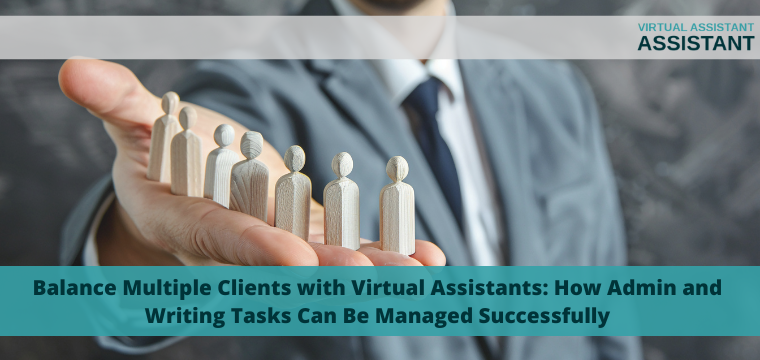
Balance Multiple Clients with Virtual Assistants: How Admin and Writing Tasks Can Be Managed Successfully

Balance Multiple Clients with Virtual Assistants: How Admin and Writing Tasks Can Be Managed Successfully

Virtual assistants (VAs) can be invaluable assets to businesses in today’s rapidly evolving digital environment, offering administrative and creative assistance. But as demand for VA services increases so does the challenge of managing multiple clients with different needs; with proper strategies in place, VAs can excel at both tasks without compromising quality or efficiency.

1. Prioritize and Organize Tasks

To effectively manage multiple clients, the initial step involves prioritizing tasks based on deadlines and priority. Utilizing project management tools like Trello, Asana, or Monday.com to keep an overview of ongoing projects can help allocate your time efficiently while guaranteeing administrative and writing tasks are completed on schedule.

Example: It could be beneficial to you to complete any high-priority administrative tasks first thing in the morning, while your mind is freshest; leaving time and creative energy available later for writing tasks when your body has had time to rest and produce quality content.

2. Set Clear Boundaries and Expectations

Communication is of utmost importance when managing multiple clients. From the outset, establish clear guidelines regarding your availability and the scope of work you can cover. Establishing realistic expectations helps avoid miscommunication between yourself and clients and keeps everyone on the same page.

When your workload becomes overwhelming, you must notify clients promptly. They may be able to adjust deadlines or prioritize tasks; but if professional assistance is needed, check out paperhelp reviewed by expert.

3. Batch Similar Tasks

Time management techniques that assist VAs in increasing efficiency include grouping similar tasks in blocks of time – for example, answering emails, scheduling appointments, or writing content – to minimize mental shifts when switching tasks and keep VAs more focused while working more efficiently. This technique may help virtual assistants organize similar activities more easily.

4. Utilize Automation Tools

Automated tools are invaluable resources for Virtual Assistants when it comes to managing multiple clients effectively. Solutions like Zapier, Hootsuite, and Calendly make life simpler by automating repetitive tasks – like social media posting and appointment scheduling – freeing up time for more challenging writing projects or administrative duties that demand higher-level expertise.

Automation also reduces errors, ensuring that assignments are completed accurately and on time. A strong support network will help you keep your spirits up during a hard day’s work. And if you need low-cost support, check out the paper help discount code.

5. Build Open Communication

Communication is at the core of effective client management. Keep clients updated on your progress and any delays; and arrange regular check-ins via email, phone calls, or video meetings to build trust and strengthen working relationships.

For writing tasks, ensure a firm understanding of each client’s voice, tone, and content preferences to create content production more smoothly and meet expectations satisfactorily. This will facilitate writing processes more smoothly as well as ensure the final product exceeds them satisfactorily.

6. Delegate When Necessary

As your client base expands, it’s essential to recognize when it makes sense to outsource certain tasks – for instance, administrative duties or less complex writing jobs can often benefit from outsourcing to free up more of your time and energy for more high-priority endeavors.

Outsourcing doesn’t mean relinquishing control; rather, it means managing workload more effectively while offering clients exceptional services.

7. Self-Care and Time Management

Juggling multiple clients can be overwhelming, so you must set aside time for self-care. Regular breaks, exercise sessions, and screen-free times will help protect both mental and physical well-being while maintaining productivity levels without leading to burnout.

Use time management strategies such as the Pomodoro Technique – wherein short bursts of focused work are punctuated with short breaks – to maintain energy throughout your day.

Conclusion

As a virtual assistant, managing multiple clients requires strategic planning, effective communication, and the appropriate tools. By prioritizing tasks and setting clear boundaries while using automation solutions to streamline administrative and writing duties, VAs can easily handle administrative and writing duties. Success does not lie solely in working harder but in working smarter; doing this ensures quality work while protecting both themselves and clients alike.

Read More

5 Creative Applications of Digital Assets in Virtual Assistance Services

5 Creative Applications of Digital Assets in Virtual Assistance Services

We live in a world where you can use a wide range of digital tools to make your job easier. From creating standout marketing materials to organizing flawless virtual events, these assets are not just static resources. They’re dynamic elements that can help you get better clients.

With some creativity and practical strategies, you can find new ways to make technology work harder for you. In today’s piece, we put together several ways you can use digital assets to your advantage, so stay tuned until the end!

1. Use AI for Content Curation

We know you’re already a pro at organizing and multitasking, but harnessing AI for content curation can boost your game. Think of it as a highly efficient teammate who filters out the noise to deliver exactly what you need.

AI can analyze patterns and preferences, helping tailor content for clients more precisely. This means better-targeted emails or customized social media posts that hit the mark every time. It’s like having a secret weapon to streamline workflows and focus on creativity rather than sorting through endless information.

With predictive analytics capabilities, AI not only saves time but also enhances quality by suggesting improvements or spotting trends you might miss in routine tasks. Plus, the automated learning element ensures it continually adapts to be even more effective over time.

2. Boost Your Documentation Capabilities

Like it or not, project documentation is part of your attributions as a virtual assistant. This type of task can be quite boring and repetitive, but with the help of your reliable AI assistant, you can speed things up.

You can also get help with making documentation look good (which is not easy). You can do this with the help of unconventional tools and resources. For instance, you can use a digital photo album maker to create visually engaging templates that capture information beautifully and clearly.

This approach saves you hours and elevates the reader’s experience. They’ll appreciate well-organized materials that guide them seamlessly through information. Plus, AI-driven updates keep designs fresh without redoing entire documents from scratch.

3. Build Your Brand Image and Online Reputation

Brand image can set you apart in a crowded market. It’s also a great strategy to get more and better customers, so why not give it all you’ve got?

You can use AI to craft visual content that mirrors your brand’s personality. From custom logos to thematic images, each element should convey what you stand for. You should also consider creating bespoke templates for emails or social media posts. 

Staying updated with trends is also key. Use AI-powered analytics to understand which digital assets resonate most with audiences, then tailor future content accordingly.

4. Integrate Analytics in Daily Tasks

Nowadays, we all swim in data. Whether it’s information from your local sources or analytics from your social media feeds, you have rivers of data going your way. However, if you don’t know how to use them, you’ll still base your decisions on guesswork and conjecture.

Integrating analytics into daily tasks lets you make informed decisions by turning raw data into insights that drive smarter choices. 

Plus, you don’t need complex Business Intelligence platforms to use the power of AI-driven analytics. You can use simple tools, like Google Analytics, Tableau Public, or MailChimp Reports, to analyze trends in client interactions or project timelines.

By identifying patterns, you can predict needs and allocate resources more effectively—whether it’s time or budget. This ensures you’re always one step ahead, anticipating rather than reacting.

5. Leverage Blockchain Technology

Your job often involves handling confidential client documents, which is why you need a bulletproof security system that keeps any prying eyes at bay. A data leak may ruin your reputation for good.

That’s why you may want to look into blockchain technology and its benefits for online security. Blockchain isn’t just for cryptocurrencies; it’s a game-changer for secure document management.

When you store sensitive files on a blockchain, they become tamper-proof and traceable. You can track every change made, ensuring that both you and your clients have access to the most current versions without worrying about unauthorized alterations. It’s like having an indestructible lockbox for digital assets.

This transparency builds trust as clients appreciate knowing their data is safe from breaches or errors. Plus, smart contracts within blockchain systems automate workflows by executing tasks automatically when specific conditions are met.

Conclusion

By integrating AI, analytics, and blockchain into your daily work, you’ll redefine client experiences with enhanced efficiency and security. As the tech landscape continues to evolve, your adaptability will ensure sustained growth and success.

Read More

The Impact of AI on Efficient Resource Allocation for Students

The Impact of AI on Efficient Resource Allocation for Students

Artificial Intelligence has emerged as a transformative force across various sectors, including education. At its core, AI refers to the simulation of human intelligence processes by machines, particularly computer systems. These processes include learning, reasoning, and self-correction. The integration of AI into educational systems offers a plethora of opportunities to optimize resource allocation, ultimately enhancing the learning experience and ensuring equitable access to educational resources. This article explores how AI is revolutionizing resource allocation for students, highlighting the benefits, challenges, and future prospects.

Understanding Resource Allocation in Education

Definition and Significance

Resource allocation in education involves the distribution of essential educational resources—including funding, teaching materials, and technological tools—to students and institutions. At institutions like the University of Michigan, effective resource allocation is vital for delivering high-quality education, enhancing student learning outcomes, and ensuring that resources are utilized efficiently.

Traditional Methods of Resource Allocation

Historically, resource allocation has relied on manual processes and fixed criteria, often leading to inefficiencies and inequities. Traditional methods include:

Standardized funding models: Allocation based on factors like enrollment numbers and standardized test scores.

Manual distribution of materials: Teachers and administrators decide how to distribute textbooks and other materials.

Static scheduling: Fixed schedules for classes and resources, regardless of individual student needs.

Challenges in Current Resource Allocation Systems

  1. Inefficiencies: Manual processes are time-consuming and prone to errors.
  2. Inequities: Fixed criteria may not account for the diverse needs of students, leading to unequal access to resources.
  3. Lack of personalization: Standardized approaches fail to address individual learning preferences and requirements.
  4. The Role of AI in Resource Allocation

Machine Learning (ML): Algorithms that analyze data and learn from it to make predictions or decisions.

Natural Language Processing (NLP): Enables machines to understand and respond to human language, facilitating personalized learning experiences.

Data Analytics: The process of examining large datasets to uncover patterns and insights that inform decision-making.

How AI Improves Resource Allocation

Personalized Learning Experiences

AI-driven systems can analyze individual student data to create personalized learning plans. For instance, adaptive learning platforms adjust the difficulty level of tasks based on a student’s performance, ensuring that each student receives the right level of challenge and support.

Efficient Distribution of Educational Materials

AI can optimize the distribution of resources like textbooks and digital content. By analyzing usage patterns and student needs, AI systems can ensure that materials are allocated where they are most needed, reducing waste and improving access.

Adaptive Learning Platforms

Adaptive learning platforms use AI to continuously assess student performance and adjust instructional content accordingly. These platforms identify areas where a student is struggling and provide additional resources or alternative explanations to help them master the material. 

For instance, if a student is having difficulty with a specific math concept, the platform can offer a variety of practice problems and step-by-step tutorials tailored to the student’s learning style. Moreover, these systems can track progress over time, enabling educators to see detailed reports on individual and class performance. This granular level of data allows for more informed decision-making in the classroom, ensuring that each student receives the necessary support.

Additionally, adaptive learning platforms often incorporate tools like a compare and contrast essay generator, which helps students develop critical thinking skills by automatically generating essay prompts that encourage them to analyze similarities and differences between concepts. This combination of personalized learning and advanced analytics exemplifies how AI-driven technologies can enhance educational outcomes.

Benefits of AI in Resource Allocation

Improved Student Performance

AI-driven resource allocation optimizes the delivery of educational resources, ensuring that students receive the right support precisely when they need it. This approach enhances academic performance by tailoring resources to individual needs. Additionally, personalized learning plans and adaptive platforms are instrumental in helping students master concepts more effectively. For those pursuing creative writing, these technologies can be particularly beneficial, offering customized tools and guidance to hone their craft and improve their writing skills.

Greater Student Engagement

By tailoring instruction to individual needs and preferences, AI increases student engagement. Interactive and adaptive learning tools make education more engaging and enjoyable, fostering a love for learning.

Equity in Education

Addressing Learning Gaps

AI can identify and address learning gaps by providing personalized support and resources. This helps to level the playing field for all students, regardless of their background or learning abilities.

Providing Resources to Underserved Students

AI can help ensure that resources are allocated to underserved students who may not have access to traditional educational support. By analyzing data on student performance and needs, AI systems can prioritize resource distribution to those who need it most.

Operational Efficiency

Cost Reduction for Institutions

AI can help educational institutions reduce costs by optimizing resource allocation. For example, AI-driven scheduling systems can make more efficient use of classroom space and teacher time, reducing overhead costs.

Better Use of Educational Infrastructure

AI can help institutions make better use of their existing infrastructure. By analyzing data on resource usage and student needs, AI systems can ensure that facilities and materials are used to their fullest potential.

Challenges and Considerations

Data Privacy Concerns

The use of AI in education raises concerns about data privacy. Protecting student data and ensuring that it is used responsibly is critical. Institutions must implement robust data protection measures to safeguard sensitive information.

Bias in AI Algorithms

AI systems can inadvertently perpetuate biases present in the data they are trained on. It is essential to ensure that AI algorithms are designed to be fair and unbiased, and to continuously monitor their performance to prevent discrimination.

Implementation Challenges

Technical Infrastructure

Implementing AI-driven systems requires significant investment in technical infrastructure. Schools and universities need to ensure they have the necessary hardware, software, and network capabilities to support AI applications.

Training Educators to Use AI Tools

Teachers and administrators need training to effectively use AI tools. Professional development programs should be established to help educators understand how to integrate AI into their teaching practices and make the most of its potential.

Resistance to Change

Institutional Inertia

Educational institutions can be resistant to change, particularly when it comes to adopting new technologies. Overcoming institutional inertia requires strong leadership and a clear vision for how AI can improve resource allocation and student outcomes.

Concerns from Educators and Students

Educators and students may have concerns about the impact of AI on teaching and learning. Addressing these concerns through transparent communication and demonstrating the benefits of AI can help build trust and acceptance.

Future Prospects of AI in Education

AI-Driven Tutoring Systems

AI-driven tutoring systems are on the horizon, offering personalized support to students outside of the classroom. These systems can provide real-time feedback and help students master complex concepts at their own pace.

Predictive Analytics for Student Success

Predictive analytics can help identify students at risk of academic failure and provide early interventions. By analyzing data on student performance and behavior, AI systems can predict potential issues and offer targeted support to keep students on track.

Potential for Global Impact

Expanding Access to Quality Education

AI has the potential to expand access to quality education on a global scale. By providing personalized learning experiences and optimizing resource allocation, AI can help bridge educational divides and ensure that all students have access to the resources they need to succeed.

AI can help address regional disparities in education by providing targeted support to underserved areas. By analyzing data on educational needs and resource availability, AI systems can ensure that resources are distributed equitably, regardless of geographic location.

Conclusion

AI is poised to revolutionize resource allocation in education, offering numerous benefits for students and institutions alike. By providing personalized learning experiences, enhancing operational efficiency, and promoting equity, AI has the potential to transform the educational landscape. However, it is essential to address the ethical and implementation challenges associated with AI to ensure that its benefits are realized in a responsible and equitable manner. As stakeholders in education embrace AI, the future holds promise for a more efficient, effective, and inclusive educational system.


Read More

Is It Worth Investing in a Virtual Assistant?

Is It Worth Investing in a Virtual Assistant?

Is your business growing so much that you can’t keep up? Congrats, a lot of startups will envy you. However, it does create a dilemma in that you need someone to pick up the slack. 

Forty years ago, this would’ve meant hiring someone from your town, but today, things are very different. Today, we can save money by hiring remote employees. You can save even more by just contracting them for the hours you need them instead of paying a full-time staffer. 

In this article, we’ll look at hiring a virtual assistant and whether it’s worth the investment. 

What is a Virtual Assistant (VA)? 

A VA is someone who works remotely for you. They can perform simple tasks like scheduling, admin, answering calls, data capture, and performing other functions you require. You can hire them for a few hours a day, one day a week, or as it suits you. 

Is One Assistant Enough? 

The idea of hiring a VA is to increase capacity. If you need to hire a team of people, it might be time to look at an alternative solution, like outsourcing customer support to a professional team like SupportYourApp. This helps you improve customer satisfaction. 

The Benefits of Investing in a Virtual Assistant

Every company has its own reasons for using this type of service. You’ll need to weigh up the following benefits and see if they’re worthwhile for you. 

Cost-Effectiveness

The top reason most companies choose a VA is to save on costs. You don’t have to worry about paying bonuses or budgeting for perks and annual leave. If you hire the VA through an agency, their company does all of that. Alternatively, when you hire a freelancer, they work on a contractual basis. 

This gives you a cost-effective way to access the skills you need at a lower rate. Your VA might reside in a country where the cost of living is much lower. You save as a result. 

Either way, since you’re only paying for the time that you need, you don’t have to pay a fortune. 

Better Time Management

Hiring a VA frees you from boring admin tasks. You can then concentrate on tasks that help you build your business. Having this support makes it easier to manage your time and improve productivity. 

Flexibility

Traditional employees tend to work set office hours. While you can let them work remotely, many like being able to come into the office. A VA can work in a different country or time zone altogether. 

This allows you to get the work done outside normal business hours. Your team can then start the day with all the admin out of the way. You get the flexibility of an employee who can work at different times of the day without having to provide office space. 

What’s more, you can hire them on an ad hoc basis as you need them. When working with an agency, you can usually find someone who’s able to assist in a short period of time. 

Diverse Skill Sets

Don’t be put off by the name virtual assistants. While they can assist with general admin and scheduling, many have other useful skills. There are people who specialize in digital marketing, IT services, and graphic design, for example. 

You can find someone with the exact skills you need for your business. The advantage is that you pay far less than you would for a full-time employee. You can pick and choose the skills as you use them. 

Potential for Growth

A problem that many small business owners have is that there aren’t enough hours in the day. You get so caught up in the tedious tasks that you don’t have time to grow your business. 

If you hand over the tasks, you free up time for the things that’ll bring in more business. This can include: 

  • Exploring new markets
  • Developing new products or services
  • Improving customer relationships
  • Fostering new leads

You can also task skilled VAs with sales support, lead generation, and customer engagement. You can scale the amount of support you need up or down as necessary.

Challenges and Considerations

Considering the potentially high return on investment, hiring a VA seems perfect. However, you need to be aware of the challenges. This is especially true if you’re working with someone in a different time zone or country. There may be cultural differences to consider. 

You’ll need to set up clear lines of communication and carefully express your expectations. 

Aside from these issues, you have to vet the contractor carefully. You need to ensure that they’re trustworthy and that they’ll protect your data properly. You’ll be sharing customer information with them, so they must use properly protected devices and networks. 

Finally, of course, there’s the issue of finding the right candidate. You can work with a company that has a trained team to save yourself some time. However, you’ll want to check their reputation before employing anyone. 

If you decide to work with a freelancer, you need someone who aligns with your company’s values. They need to be reliable, trustworthy, and professional. After all, they’ll represent you in the long run. 

Conclusion

You might benefit from hiring a virtual assistant. That said, it’s not the right move for every firm. You need to carefully weigh up the pros and cons before you look for a VA. Finally, you need to take the time to properly vet the candidates. The right person will be worth the investment. 


Read More